About this app
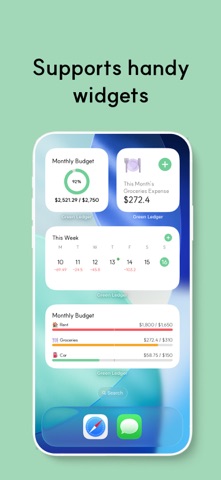
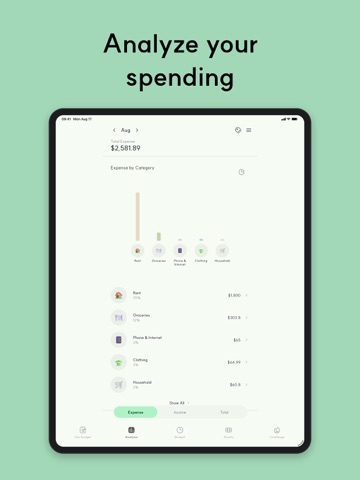
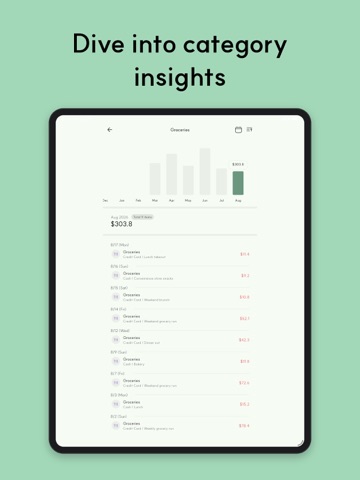
A clean and simple expense tracker app to manage your income, expenses, and budget all in one place — completely ad-free! View your spending at a glance with an intuitive calendar and easily analyze expenses by category. Support for shared household budgets for couples and families, plus real-time sync across multiple devices. • Easily check your income and expenses on the calendar screen. • Analyze and manage your spending patterns by category. • Create and customize your own categories freely. • Cute icons make your spending history easier to recognize. • Create multiple wallets/books for different purposes. • Share household budgets with your partner, family, or friends. • Real-time sync across multiple devices. • Analyze your asset flow based on your records. • Supports multiple currencies and languages for convenient use worldwide. • Enjoy a completely ad-free experience. • Securely back up your data to external drives. Terms of Use (EULA) https://www.apple.com/legal/internet-services/itunes/dev/stdeula/
Latest release
What’s New
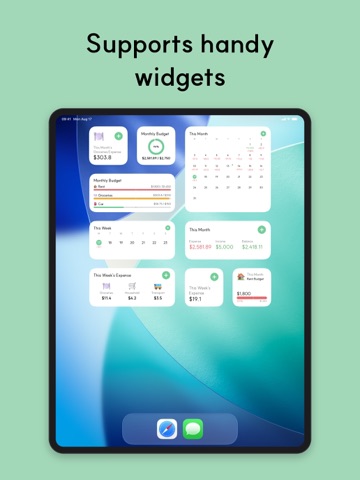
- Added time recording for expense, income, and asset entries — turn it on in Ledger Settings to enter a time along with the date, and entries on the same day are sorted by time - Expenses and income created by Recurring or Installment are now placed at their time position within the same day - Added "Reset Ledger" to Ledger Settings — clears records and categories and returns the ledger to the state of a brand-new one (personal ledgers only) - Added a change chart to asset group details — tap the icon to switch between "Assets Over Time" (cumulative) and "Asset Change" (per period) - Added "Period" to the asset group analysis range — set your own start and end dates alongside Weekly and Monthly - Raised the free limit for asset items and asset groups to 15 - Added a two-week calendar home widget — choose "Last week + this week" or "This week + next week" - The calendar widget title now shows the name of the ledger it displays - Various bug fixes and stability improvements
Audience growth
Ratings growth
Baseline captured. Growth appears after the crawler observes a changed rating count.
Momentum comes from crawler snapshots for the tracked storefront. “Viral growth signal” means unusually fast recent rating gains; it is an indicator, not download data.
Price tracking
Price intelligence
First snapshot captured. The trend line starts after the next crawler price observation.
- First observed Aug 27, 2026 · 1:43 PM Free
Screenshots