About this app
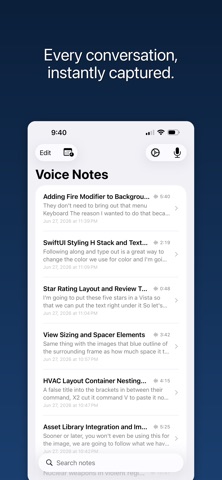
Capture every word, hands-free. IA Voice Notes transcribes your meetings and conversations in real time using Apple's on-device speech engine — no subscription, no cloud, no data leaving your device. **A calendar that starts recording for you** See your events laid out by day and time, with a live now-line — or as a simple list. Set one up and IA Voice Notes starts recording on its own when the time comes, using the mode you picked for it. Arm a recurring meeting once and it's covered every week. Works with Siri Shortcuts for full automation. **Turn any mention into an event** Scan a flyer, pick a photo, paste an invitation, or just mention a meeting while recording — the AI reads out the date, time, location, and who's coming, and drops it into a review tray for you to approve, linked back to the exact moment it came from. Your iOS Calendar can sit alongside it too, read-only, so you can arm any real meeting for recording in a tap. **AI that works while you record** Choose a recording mode — Meeting, Interview, Lecture, Sales Call, and more — and let the built-in AI detect action items, flag key terms, and surface what matters as you speak. A summary is ready the moment you stop. Ask follow-up questions about any note with the built-in Q&A. **10 built-in recording modes** General, Meeting, 1:1, Sales Call, Interview, Customer Research, Lecture, Brainstorm, Podcast, Journal — each pre-configured with the right AI features for that context. Build your own custom modes too. **Real-time transcription** Watch your words appear as you speak. Transcripts are saved with timestamps so you can jump to any moment in the recording. **Attach as you go** Snap a photo of a whiteboard, scan a document, or jot a quick text note — all attached directly to your recording at the exact moment they were captured. **Timeline view** See your transcript, photos, scans, and AI results laid out in order, with natural spacing that reflects the rhythm of your conversation. **Export anywhere** Share your notes as Markdown or self-contained HTML, bundled with the audio file. Open in Obsidian, Notion, or any editor that handles Markdown. **Privacy first** All transcription happens on your device using Apple's Speech framework. AI analysis uses your own API key — Anthropic Claude or OpenAI GPT — and goes only to the provider you choose. Your recordings never leave your phone unless you share them. *Requires iOS 17. Transcription quality depends on Apple's on-device speech recognition for your language.*
Latest release
What’s New
IA Voice Notes now has a full calendar built in. - See your recordings and events on a Day, 3-Day, Week, or List calendar, with auto-start recording when a meeting begins — arm a recurring event once and it covers every week. - AI event capture: scan a flyer, drop in a photo, paste text, or just mention a date out loud. AI finds the event and drops it in a review tray before anything is added to your calendar. - Suggestions now link back to the exact moment in the recording they came from, so you can double-check what was actually said. - Your iPhone's own Calendar can show up read-only alongside your recordings, so you can arm any real meeting for recording in a tap. - Bug fixes and reliability improvements.
Audience growth
Ratings growth
Baseline captured. Growth appears after the crawler observes a changed rating count.
Momentum comes from crawler snapshots for the tracked storefront. “Viral growth signal” means unusually fast recent rating gains; it is an indicator, not download data.
Price tracking
Price intelligence
First snapshot captured. The trend line starts after the next crawler price observation.
- First observed Sep 14, 2026 · 9:53 PM Free
Screenshots