About this app
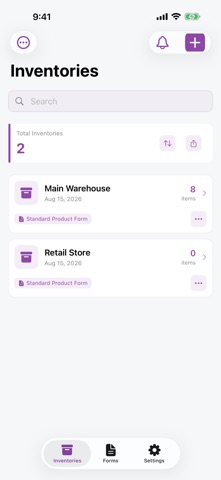
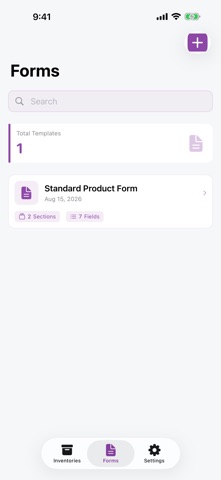
Inventory Scan X turns your iPhone into a fast, accurate inventory scanner. Point the camera at a barcode or QR code and the item is found — or created — instantly. No extra hardware, no spreadsheets, no complicated setup. SCAN ANYTHING • Barcodes (EAN, UPC, Code 128) and QR codes • Fast Scan mode: add or remove stock continuously without leaving the camera • Attach a photo to any product INVENTORIES THAT FIT YOUR WORK • Separate inventories for stores, rooms, vehicles or projects • Track quantity, price and low-stock thresholds • Get notified when an item is running out • Clone a whole inventory to reuse its structure CUSTOM FORMS • Design your own product fields: text, numbers, currency, dates, choices • Add calculated fields with real formulas — (Length × Width) × Price • Every inventory can use a different form EXPORT — INCLUDED FOR EVERYONE • Export to CSV for spreadsheets • Export to PDF for clean, printable reports • Pick exactly which columns to include with export rules • Print barcode and QR labels on standard Avery sheets • Import your existing data from CSV SHARE WITH YOUR TEAM • Invite people to an inventory as editor or viewer • See who changed what in the activity log WORKS EVERYWHERE • Full iPhone and iPad support • Home Screen widget with your key numbers • Search across every inventory at once FREE PLAN 5 inventories, 50 products each and 10 MB of photos. Scanning, CSV and PDF export, and label printing are included at no cost. PREMIUM 50 inventories, 1,000 products each, 1 GB of photos, custom forms, inventory sharing and no ads. Subscriptions renew automatically unless cancelled at least 24 hours before the end of the current period. Manage or cancel anytime in your Apple account settings. Privacy Policy: https://inventoryscanx.com/privacy Terms of Use (EULA): https://www.apple.com/legal/internet-services/itunes/dev/stdeula/ Support: https://inventoryscanx.com/support
Latest release
What’s New
• Your product photos can now be printed in exported PDFs. Turn on “Include product photos” in PDF Settings, then choose the layout and size. • Product photos now show a loading indicator while they load. • Various bug fixes and improvements.
Audience growth
Ratings growth
Baseline captured. Growth appears after the crawler observes a changed rating count.
Momentum comes from crawler snapshots for the tracked storefront. “Viral growth signal” means unusually fast recent rating gains; it is an indicator, not download data.
Price tracking
Price intelligence
First snapshot captured. The trend line starts after the next crawler price observation.
- First observed Sep 8, 2026 · 7:28 PM Free
Screenshots