About this app
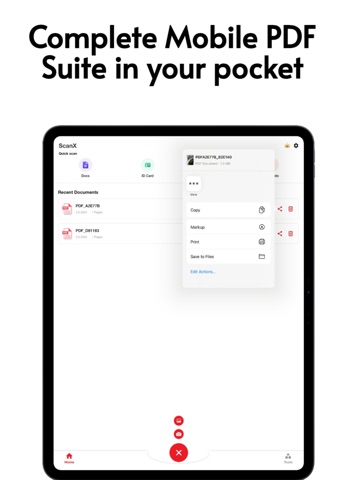
Transform your iPhone and iPad into a powerful, all-in-one document management tool with PDF Cam Scanner for iPhone & iPad. Whether you’re a student, professional, or entrepreneur, our sleek and intuitive interface makes scanning, editing, and organizing PDFs effortless—right from your pocket. Key Features • High-Quality PDF Scanning Capture crisp, edge-to-edge scans using your camera. Automatic edge detection and perspective correction ensure every page looks perfect, even in low light. • Built-in PDF Editor Annotate, highlight, redact, and add notes with just a few taps. Reorder pages, rotate, or delete unwanted pages to create professional documents in seconds. • Merge & Split PDFs Combine multiple documents into a single file for seamless sharing, or split a large PDF into bite-sized sections—ideal for presentations, reports, or archiving. • Advanced OCR (Optical Character Recognition) Instantly convert scanned images and photos into searchable, editable text. Copy, highlight, or share text from any document. • Image to PDF Conversion Turn your photos, screenshots, or drawings into high-quality PDF files. Perfect for receipts, invoices, and creative projects. Why You’ll Love It • Streamlined Workflow: Scan, edit, and share documents without ever leaving the app. • Secure & Private: Your files stay on your device—no cloud required. • Fast & Reliable: Lightning-fast processing and exports in seconds. • Universal Compatibility: Works flawlessly with AirDrop, email, cloud services, and messaging apps. Download PDF Cam Scan for iPhone & iPad today and upgrade your productivity toolkit. Scan, edit, organize, and share documents like a pro—anytime, anywhere! Privacy Policy: https://1drv.ms/w/s!AhRnecRbTCfCdSIfU3qV06c9Mk4?e=Z13ZNH Subscription Notice: https://1drv.ms/w/s!AhRnecRbTCfCea0FwhIWodb9fYA?e=61B1Fv Terms of usage: https://1drv.ms/w/s!AhRnecRbTCfCa5XH2RaXt-e3x5o?e=jBqrnY
Latest release
What’s New
Minor Bug Fixes
Audience growth
Ratings growth
Baseline captured. Growth appears after the crawler observes a changed rating count.
Momentum comes from crawler snapshots for the tracked storefront. “Viral growth signal” means unusually fast recent rating gains; it is an indicator, not download data.
Price tracking
Price intelligence
First snapshot captured. The trend line starts after the next crawler price observation.
- First observed Sep 10, 2026 · 9:20 PM Free
Screenshots