About this app
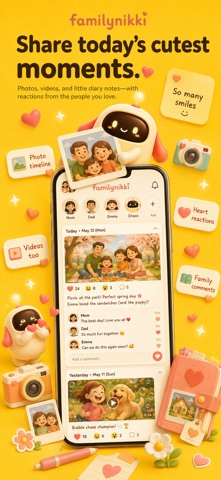
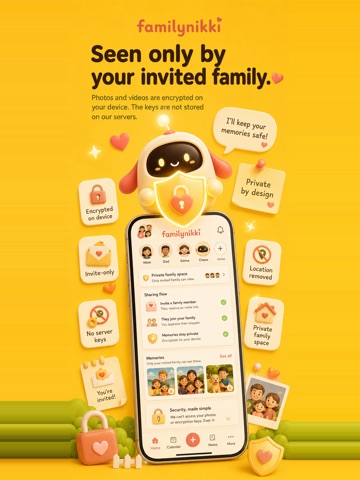
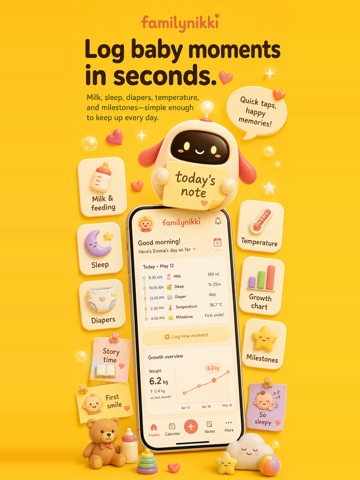
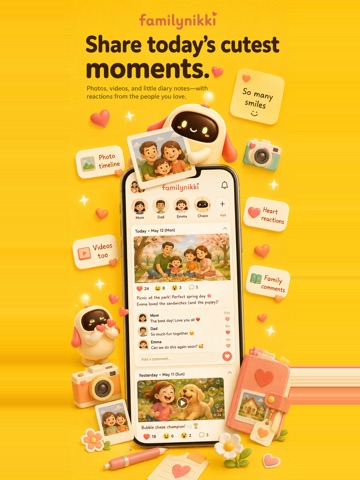
Kazoku Nikki keeps your family's day in one place. Plans, chores, wish lists, photos, videos, diaries and baby or pet logs — shared only with the family you invite. Free to start. It works for two. Adding a child or a pet is optional: the calendar, chores, wish list, photos and diary all work without them. WHAT IT FIXES - "Nobody told me about that" — every plan sits on one calendar the whole family sees - "I asked you to do that" — chores get an owner, and an answer back - "I bought that yesterday too" — a shared wish list stops double buying - "Send me today's photos" — what you shoot lands on the family timeline - "When was the last feed?" — one tap logs it, and everyone can see it ONE CALENDAR FOR PLANS AND CHORES - Month, week, day and list views - Repeats: daily, weekly, biweekly, monthly, yearly (birthdays, anniversaries) - Ask someone to do something; they answer "I'll do it" or "Can't right now" - Plans and to-dos live on the same calendar, so you stop switching apps - Public holidays included for your region PHOTOS, VIDEOS AND DIARIES — INVITE ONLY - Look back through photos, videos and diary entries in order - Hearts and comments, so distance doesn't mean silence - Monthly albums keep it tidy - Export a memory book as a print-ready PDF A WISH LIST THAT PREVENTS DOUBLE BUYING - Who buys it, by when, how many - Everyday things and presents alike - You can see who bought it, so nobody forgets to say thank you IF YOU HAVE A BABY, A TODDLER OR A PET - One tap for feeds, bottles, sleep, diapers, temperature and solids - Height, weight, head circumference and any custom measure on a growth chart - A feeding timer that records which side and for how long - Keep the firsts: first roll, first word, first step - Add as many children and pets as you need FOR FAMILY WHO LIVE FAR AWAY - Invite grandparents and they see the photos and videos as they are posted - Hearts and comments are enough — no writing required - Only invited people can see it, so nothing has to go on social media WIDGETS - Next plan and to-dos on the Lock Screen and Home Screen - Tick off a to-do straight from the widget PRIVATE, BY DESIGN - Joining a family is invite only - Photos and videos are encrypted on your device before they are stored - Decryption keys go only to approved family devices, never to our servers - So we cannot reconstruct your photos from what we store - Photo location data is stripped before encryption, by default - We do not sell data to third parties GETTING STARTED 1. Sign up with email, Apple or Google 2. Send an invite link from "Family" — they just open it to join 3. Start with whichever you need first: calendar, photos or logs QUESTIONS PEOPLE ASK Q. Can we use it without children? A. Yes. It works for a couple. Children and pets are optional. Q. Is it free? A. Yes. The main features are free. There are paid plans for more storage, but you can keep using the free one. Q. Can anyone outside the family see our photos? A. No. Photos and videos are encrypted on your device, and the keys go only to family devices you have approved. We cannot see the contents. Q. Will grandparents manage it? A. Yes. They open the invite link to join, and text scales with their device's text size setting. Q. If I change phones, do I keep the photos? A. Yes. Sign in on the new device and, once approved, the decryption keys move across. Q. Will it flood me with notifications? A. No. They are limited to family logs, requests and plan reminders, and each type can be turned off. Q. Is there an Android version? A. Not yet — iPhone and iPad today. If one person in the family has an iPhone, they can send the invites. Q. Does it work offline? A. Yes. Anything you write without a signal is held on the device and sent when you reconnect. Chaco — the gentle, unidentified creature who lives in Kazoku Nikki — is there for the small days too.
Latest release
What’s New
チャコに写真を渡せるようになりました。 予防接種の通知や園のおたよりを撮って渡すと、チャコが読んで「予定を足しませんか」と提案します。日時・場所・持ち物まで拾って、承認センターに届きます。確定する前に、日時も担当も直せます。 ・写真から予定・やること・ほしいものを取り出します ・提案はそのまま入らず、必ず承認をはさみます ・担当は管理者に付くので、親どうしで分担できます ・写真はサーバーに残しません チャコの相談は、開いたときにいちばん新しい発言から始まるようになりました。 残りのクレジットが画面の上に出るようになりました。
Audience growth
Ratings growth
Baseline captured. Growth appears after the crawler observes a changed rating count.
Momentum comes from crawler snapshots for the tracked storefront. “Viral growth signal” means unusually fast recent rating gains; it is an indicator, not download data.
Price tracking
Price intelligence
First snapshot captured. The trend line starts after the next crawler price observation.
- First observed Sep 11, 2026 · 8:52 AM Free
Screenshots