About this app
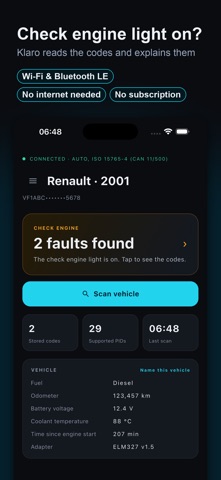
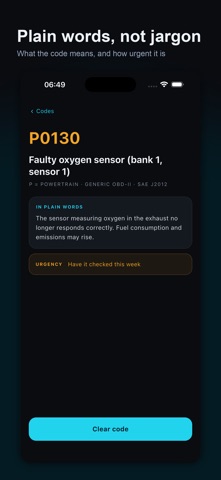
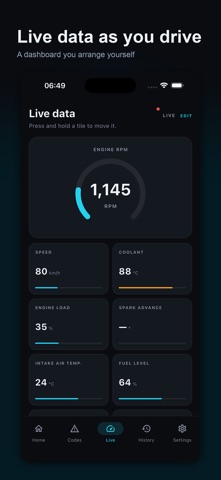
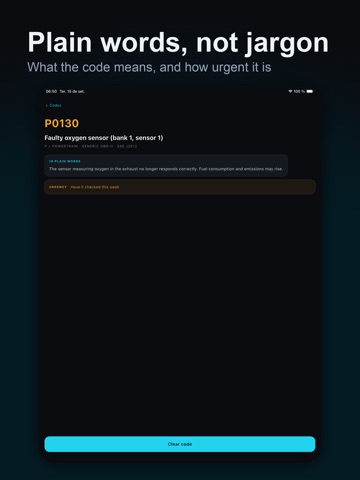
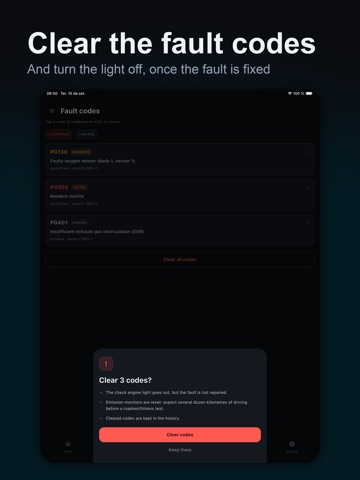
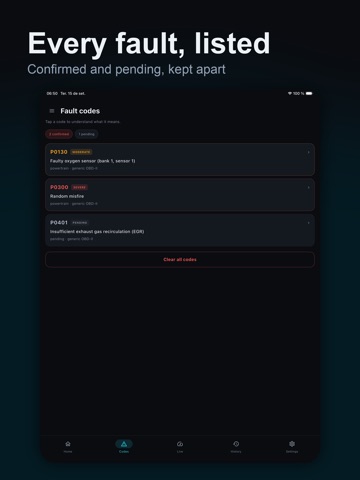
Klaro turns the check engine light into a clear explanation. Plug an OBD2 adapter into the diagnostic socket under your dashboard, and Klaro reads what the engine computer has stored. You finally know what is wrong, in plain words, without workshop jargon. WHAT KLARO DOES • Reads confirmed and pending fault codes • Explains every code in plain language, with how urgent it is • Clears the codes and turns the light off, once the fault is fixed • Shows live engine data: revs, speed, temperatures, pressures, oxygen sensors and over a hundred other readings • Builds your own dashboard: pick your tiles, reorder them with a long press • Keeps your scan history on the phone, readable with no adapter plugged in • Recognises your vehicle by its VIN and remembers the name you gave it TRANSLATED PROPERLY All 774 standard generic codes are translated into English, French, Spanish, German, Portuguese, Italian, Turkish and Arabic. Manufacturer-specific codes keep their original wording: their meaning depends on the make and the ECU software version, and an invented translation would mislead rather than help. WHAT YOU NEED An ELM327 OBD2 adapter, Wi-Fi or Bluetooth. It is not included with the app. On iPhone, pick a Wi-Fi or Bluetooth LE (BLE) model: classic Bluetooth adapters do not work with iOS. No adapter yet? The demo car built into the app lets you explore every screen first. Your vehicle must be OBD2 compliant: that covers petrol cars sold in Europe since 2001 and diesel since 2004, and cars sold in the US since 1996. WORKS WITHOUT INTERNET No account, no sign-up. Every explanation ships inside the app, which matters: once connected to a Wi-Fi adapter, your phone has no network access left. KLARO PRO Reading codes and live data are free, with no ads. Clearing codes is part of Klaro Pro, a one-time purchase, no subscription. AN HONEST WARNING Clearing a code turns the light off but repairs nothing. If the fault is still there, the code comes back. Emission monitors are also reset: expect several dozen miles before an inspection.
Latest release
What’s New
• Minor improvements and bug fixes.
Audience growth
Ratings growth
Baseline captured. Growth appears after the crawler observes a changed rating count.
Momentum comes from crawler snapshots for the tracked storefront. “Viral growth signal” means unusually fast recent rating gains; it is an indicator, not download data.
Price tracking
Price intelligence
First snapshot captured. The trend line starts after the next crawler price observation.
- First observed Oct 15, 2026 · 2:54 PM Free
Screenshots