About this app
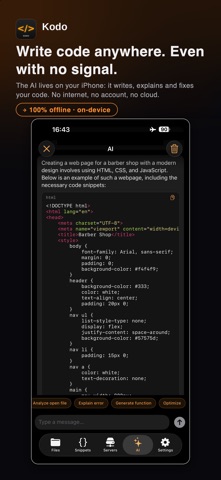
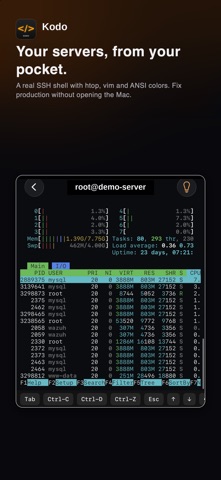
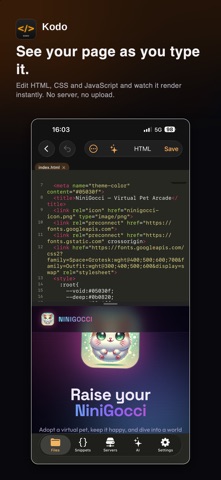
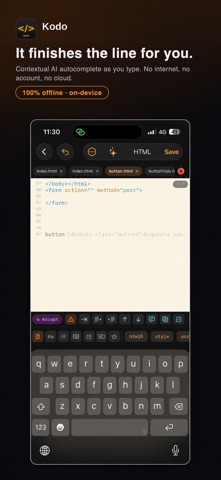
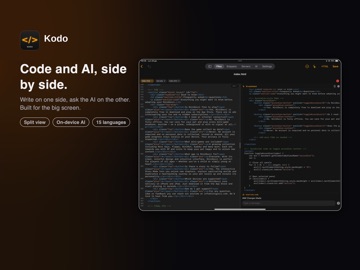
Kodo is an AI code editor and mobile IDE for iPhone and iPad. The AI assistant runs 100% on your device — it even works in airplane mode. Plus a real, interactive SSH terminal in your pocket. Edit HTML, CSS, JavaScript, TypeScript, PHP, Python, Swift, Java, C, C++, C#, Go, Rust, Kotlin, Dart, SQL, JSON, Markdown, YAML, XML, Shell and Dockerfile, plus 150 additional languages and file formats. Get VS Code–style syntax highlighting, multiple tabs, find & replace, version history and a live web preview — all offline. KEY FEATURES • On-device AI (Qwen via llama.cpp): writes, explains, fixes and completes code. Download a model once and work anywhere. • Inline AI autocomplete: the model suggests the next lines as you type — accept with Tab, or one tap on iPhone. Fastest on iPad and recent iPhone Pro. • SQL playground: open any .db or .sqlite file and run real queries, with autocomplete that proposes tables after FROM and columns after SELECT. • Real SSH terminal: a full interactive shell with htop, vim, ANSI colors, Ctrl-C/D/Z and tab-completion. • SFTP & FTP: browse, edit and upload to remote servers. Credentials stay in the Keychain. • GitHub: clone repositories, update your clone when the repo moves on, and push files. • JSON tools: format, minify and validate — your key order is preserved. • Reusable snippets and a 16-project learning guide. • Offline formatter & Emmet: format HTML, CSS, JavaScript, TypeScript and JSON, and expand HTML/CSS abbreviations without a connection. PRIVACY FIRST No account. No cloud. No tracking. Your files and credentials stay on your device. Note: Kodo previews HTML and Markdown but does not run programming languages such as Python, PHP or Swift locally.
Latest release
What’s New
Kodo 3.4 • Hierarchical server folders, light appearance, safe dotfiles, SQLite exports to CSV/JSON and a smoother split live preview. • 150 additional language and file-format profiles, including TypeScript, YAML, XML, Shell, Dockerfile, Rust, Kotlin and Dart. • Smarter context-aware offline autocomplete for the main languages. • A new file flow with search, free naming and ready-to-use templates. • Offline formatting for HTML, CSS, JavaScript, TypeScript and JSON, plus expanded Emmet. • Editable CSV/TSV tables with rows, columns, sorting and filtering. • Better tabs and workspaces: pin, reorder and reopen tabs; save, rename, update, delete and reopen projects. • Web preview console, safer external links, editor display options, print/PDF export, complete translations and fixes.
Audience growth
Ratings growth
Baseline captured. Growth appears after the crawler observes a changed rating count.
Momentum comes from crawler snapshots for the tracked storefront. “Viral growth signal” means unusually fast recent rating gains; it is an indicator, not download data.
Price tracking
Price intelligence
First snapshot captured. The trend line starts after the next crawler price observation.
- First observed Aug 21, 2026 · 6:39 PM Free
Screenshots