About this app
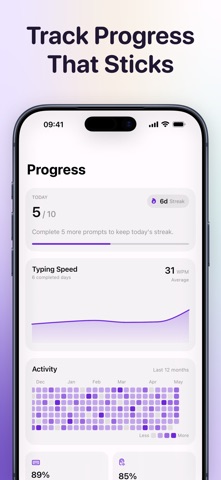
Type Korean faster. Learn words better. TypeKo makes Hangul typing practice do double duty: build keyboard confidence while Korean words start to feel familiar. Practice combines Korean word prompts, emoji and meaning cues, native-speaker audio, recall drills, and focused review. TYPE, LISTEN, RECALL Start in Type mode with support on screen: emoji, meaning, and the Korean word. Move to Listen mode to type what you hear. Use Recall mode to bring the Korean word back from memory. LEARN WHILE TYPING Every prompt connects Hangul spelling to meaning and pronunciation. Immediate checks make mistakes easy to spot, so each keystroke helps build Korean keyboard confidence. SMART REVIEW Missed words, slow answers, and words due for review return automatically, keeping practice centered on vocabulary that still needs another pass. SEE WHAT IS IMPROVING Track streaks, daily progress, accuracy, typing speed, activity, and recurring typing patterns. iCloud sync keeps practice history available across Apple devices. START FREE Practice 5 word prompts each day for free. Upgrade for unlimited word practice with weekly, yearly, or lifetime options. ______ Terms of Use: https://www.apple.com/legal/internet-services/itunes/dev/stdeula
Latest release
What’s New
This release introduces custom goals, so you can set a target that works for you.
Audience growth
Ratings growth
Baseline captured. Growth appears after the crawler observes a changed rating count.
Momentum comes from crawler snapshots for the tracked storefront. “Viral growth signal” means unusually fast recent rating gains; it is an indicator, not download data.
Price tracking
Price intelligence
First snapshot captured. The trend line starts after the next crawler price observation.
- First observed Aug 24, 2026 · 6:31 PM Free
Screenshots