About this app
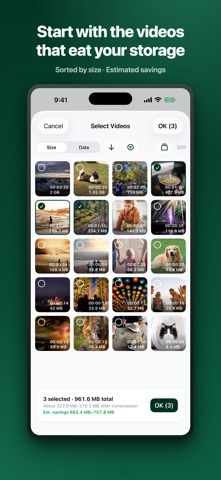
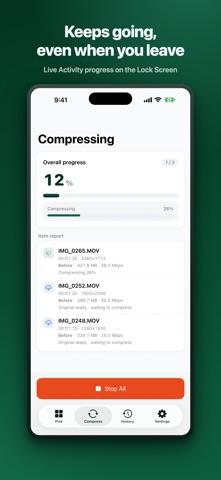
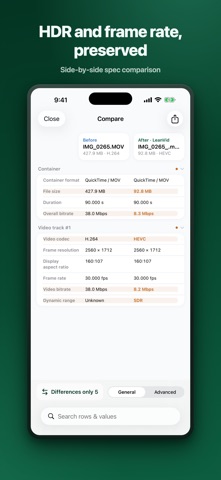
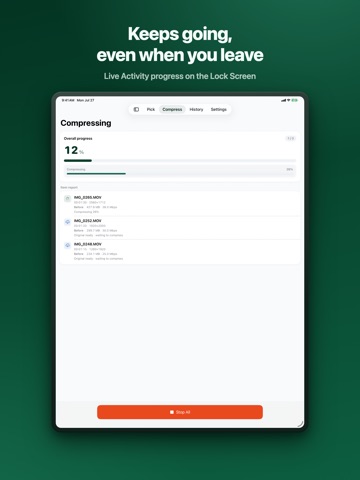
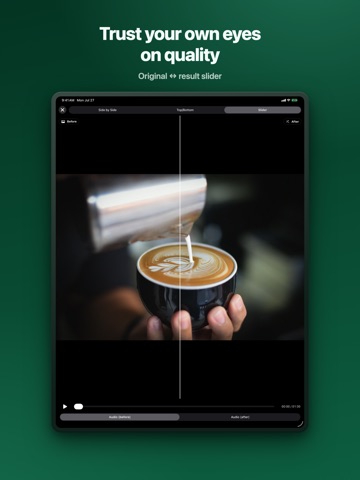
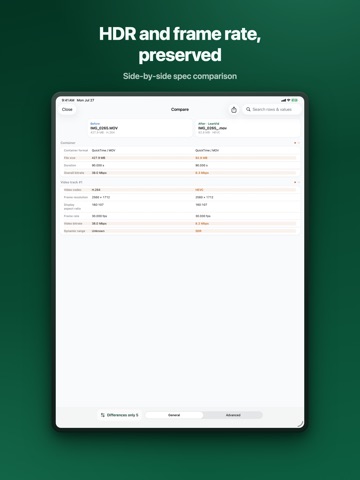
Your videos are eating your storage. Deleting them hurts, and cloud plans add up — LeanVid opens a third way. It compresses videos by lowering only the bitrate while preserving quality (resolution, frame rate, color, HDR, and every track), then safely replaces the originals — but only after each result passes an integrity check. ■ MADE FOR YOU IF • You keep seeing "iPhone Storage Almost Full" • You can't bring yourself to delete family or travel videos • You'd rather not add another monthly fee just for more cloud storage ■ COMPRESSION THAT PROTECTS QUALITY • Lowers only the bitrate — resolution and frame rate stay untouched • Best-effort preservation of HDR (HDR10, HLG, Dolby Vision compatible) and color information • Audio, subtitle, and metadata tracks are copied as-is (only audio that MP4 can't hold is converted to AAC) • Compare before and after with side-by-side, top-bottom, or slider playback — see for yourself, then decide • Detailed spec comparison: codec, bitrate, HDR, frame rate, and more ■ VIDEOS OUTSIDE YOUR PHOTO LIBRARY, TOO • Pick videos from the Files app (On My iPhone, iCloud Drive) and compress them • Formats your iPhone can't play — MKV, WebM, AVI, VP9, AV1 — are handled by the built-in converter • Replace the original file or save the result to your photo library ■ SAFEGUARDS FOR YOUR ORIGINALS • Replacement proceeds only after the result passes integrity verification • Deleting originals goes through the iOS system confirmation, and they stay in Recently Deleted for 30 days • A recovery journal safely rolls back interrupted work if the app quits mid-task • Compression history lets you re-compare or export anytime ■ SAVINGS THAT REPEAT EVERY MONTH • A lighter library lowers your cloud usage too • Once usage drops below a plan tier, downgrading one step saves you money automatically every month • Not a one-time cleanup — savings that show up on every bill ■ NO WAITING AROUND • Compression continues in the background (iOS 26+ devices; earlier versions pause and auto-resume) • Track progress from the Lock Screen and Dynamic Island with Live Activities • Sort by size to start with the videos that free up the most space • Videos stored in iCloud are downloaded and processed automatically ■ PRIVACY • Everything happens on your device — no data about your videos is ever collected or transmitted • No contradiction: an app that cuts your cloud fees never uploads your videos to a cloud of its own • No account required About the permission it asks for LeanVid needs access to your photo library to find compressible videos and to replace originals after verification. Originals are deleted only with your confirmation. Videos from the Files app need no extra permission — only the files you pick are accessed.
Latest release
What’s New
This update extends LeanVid beyond the Photos library. • Pick videos from the Files app: “Select Media” now offers Photo Library or Files. Compress videos from On My iPhone and iCloud Drive. • Convert files your iPhone can’t play: MKV, WebM, AVI and codecs like VP9 and AV1 are converted to HEVC/MP4 by the built‑in converter. • Replace or save file originals: put the result back in the original location, or save it to your Photo Library or Files. • Compare file originals too: compare playback and the info table now work for videos picked from Files. • Honest results: items that won’t shrink (already at or below the target bitrate) are flagged before you start, and a result larger than the original is kept with a warning instead of being discarded. • The screen stays on while compressing, and buttons no longer sit under the ad banner on small devices. The built‑in converter uses FFmpeg (LGPL) and dav1d (BSD). See Settings › Open Source Licenses.
Audience growth
Ratings growth
Baseline captured. Growth appears after the crawler observes a changed rating count.
Momentum comes from crawler snapshots for the tracked storefront. “Viral growth signal” means unusually fast recent rating gains; it is an indicator, not download data.
Price tracking
Price intelligence
First snapshot captured. The trend line starts after the next crawler price observation.
- First observed Sep 12, 2026 · 1:24 AM Free
Screenshots