About this app
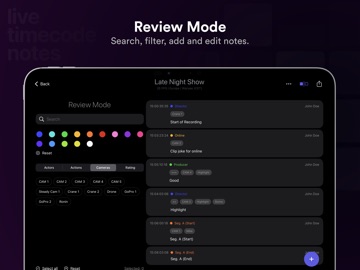
Take timecode-related notes to the next level. Designed for iOS, this app was developed in collaboration with film industry professionals to create the most productive and easy-to-use tool. With customizable tags, predefined buttons, and universal colors, this app is designed to speed up the note-taking process during live events or studio recording. Notes can later be exported as PDF or CSV file to create spreadsheets. Or they can be exported as timeline markers for Adobe Premiere Pro, DaVinci Resolve, Avid Media Composer and other post-production applications. Key features: - Create custom projects for each event or day of shooting - Create custom tags and organize them into groups - Create quick comment buttons for instant notes with predefined values - Create or join online sessions and comment together with your team - Set timecode to match your frame rate (23.976, 24, 25, 29.97 NDF, 29.97 DF, 30, 48, 50, 59.94 NDF, 59.94 DF, 60) - Sync Timecode by using the device camera. Film any display with SMPTE timecode and the project and device will be synced to that time. - Set timecode to another time zone to comment on remote video stream - Connect your device to an external clock or timecode generate (for example Tentacle Sync E or Ambient Lockit) - Export notes as document such as PDF or CSV to generate spreadsheets - Export notes as timeline markers for film editing in Adobe Premiere Pro, DaVinci Resolve and Avid Media Composer - Export notes as titles for Apple Final Cut Pro X - Export notes as captions / subtitles for use as overlay in any NLE - Export notes as OTRN (Open Timecode-Related Notes) - Merge notes into ALE files into the corresponding takes - Transfer projects to other devices - Import projects from other devices. - Backup projects to the EditingTools.io cloud with one click. - Review notes with filter functions for text, timecode, and tags. We have also added two demo projects to make it easier to get started with the tools and try them out. We are very open to feedback and want to hear your ideas on how to improve the app. Thank you to everyone who has supported our app development over the years. It is a truly international project. If you have any feedback, feature improvements or translations, please let us know. The app comes with a free plan that allows the creation of 3 free projects and up to 5 buttons and 10 tags per project. The subscription plan offers an unlimited number of projects, tags, and buttons, and also unlocks all export options. Subscriptions help us cover the cost of developing this application. Please consider supporting us if you like this app. We build this app with security in mind, which means no data is shared with any third party and everything is stored and processed locally unless you choose to share the files over iOS. Data processing is local, secure and confidential and can also be used for critical projects and events. If you have any questions or feature requests, please contact our support team. We are happy to assist you!
Latest release
What’s New
- Fixed an issue when trying to import JSON project transfer files - Added support for syncing Timezone of project from and to server - Fixed an issue related to note duplication - Added a feature that prefills logger name field
Audience growth
Ratings growth
Baseline captured. Growth appears after the crawler observes a changed rating count.
Momentum comes from crawler snapshots for the tracked storefront. “Viral growth signal” means unusually fast recent rating gains; it is an indicator, not download data.
Price tracking
Price intelligence
First snapshot captured. The trend line starts after the next crawler price observation.
- First observed Sep 19, 2026 · 8:10 AM Free
Screenshots