About this app
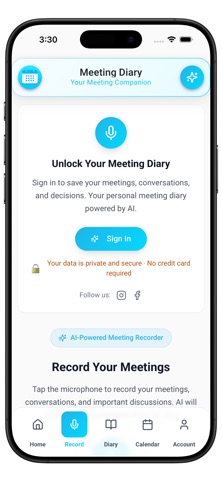
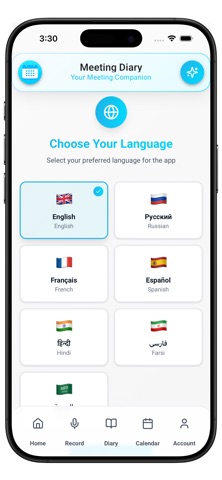
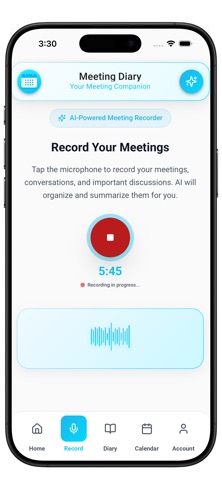
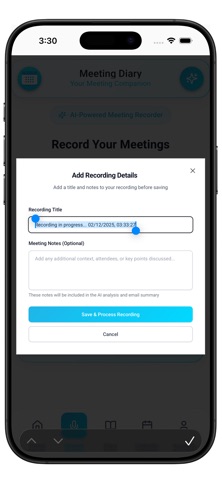
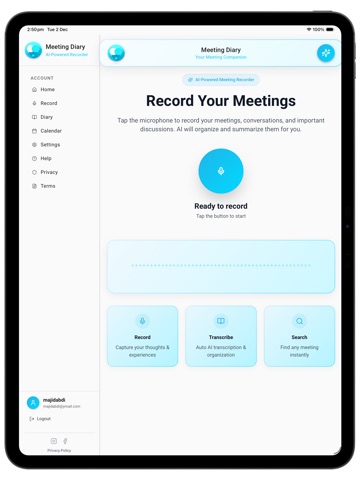
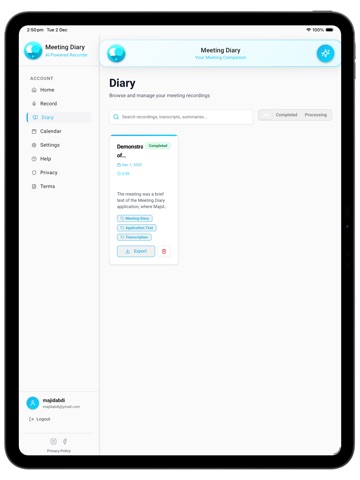
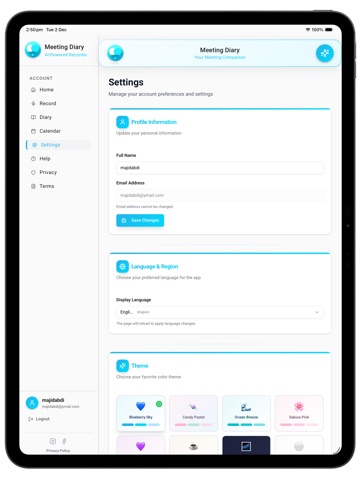
Meeting Diary – Your AI Meeting Assistant & Recorder Meeting Diary is your AI-powered meeting companion. Record any meeting, get instant transcripts and summaries, and ask the built-in AI assistant questions about your previous meetings — all from your iPhone or iPad. Stop typing minutes by hand. Focus on the conversation and let Meeting Diary handle the notes. Record Your Meetings in One Tap Tap the microphone to record your meetings, conversations, and important discussions. Meeting Diary is designed for typical meeting environments — in-person, online, or on speaker — so every voice and idea is captured clearly and saved to your personal meeting diary. AI Transcription & Smart Summaries After each recording, Meeting Diary uses AI to: Transcribe your conversation into clear text Highlight key decisions and action items Generate a concise summary with the most important points Perfect when you need a quick recap after a busy day of calls and meetings. Ask the AI Meeting Assistant Chat with your meetings like you chat with a colleague. Use the AI Meeting Assistant to ask questions such as: “What did we decide in yesterday’s client call?” “What were the action items from the last project meeting?” You can type or use voice input, and the assistant will search your past recordings and transcripts to find the answers you need. Works in Your Language Meeting Diary supports multiple interface languages, including: English, Russian, French, Spanish Hindi, Farsi, Arabic (and more coming) Choose your preferred language in the app so the experience feels familiar and easy to use. Calendar-Linked Meeting Notes Keep your meetings and notes in sync. Meeting Diary can link recordings, transcripts, and summaries to your calendar events so you can: See exactly what was discussed in each meeting Replay important moments Stay organized across your schedule Email Summaries & Cloud Storage After each meeting, you can receive: AI summaries Full transcripts Audio files directly by email, so you can review or forward them from any device. All your data is stored securely in the cloud with encryption in transit and at rest, so you can access your history anytime without worrying about data loss. Built for Professionals, Teams & Students Business teams – Track decisions, responsibilities, and follow-ups in one place. Freelancers & consultants – Keep a clear record of client calls and project updates. Students & educators – Record lectures and seminars and turn them into organized notes. Creators, podcasters & journalists – Transcribe interviews and discussions into structured content. Key Features at a Glance One-tap meeting recording (iPhone & iPad) AI transcription of conversations AI-generated summaries with key points & action items AI Meeting Assistant for questions about past meetings Multi-language app interface Calendar event linking Optional email delivery of notes and transcripts Secure, encrypted cloud storage Clean, intuitive design – no credit card required to get started Meeting Diary — Smart, Simple, Secure. Never lose track of important conversations again. Download Meeting Diary today and make every meeting count.
Latest release
What’s New
• Native iOS audio recording for more reliable capture • Pause & resume while recording • Improved background recording and overall performance
Audience growth
Ratings growth
Baseline captured. Growth appears after the crawler observes a changed rating count.
Momentum comes from crawler snapshots for the tracked storefront. “Viral growth signal” means unusually fast recent rating gains; it is an indicator, not download data.
Price tracking
Price intelligence
First snapshot captured. The trend line starts after the next crawler price observation.
- First observed Aug 26, 2026 · 7:38 AM Free
Screenshots