About this app
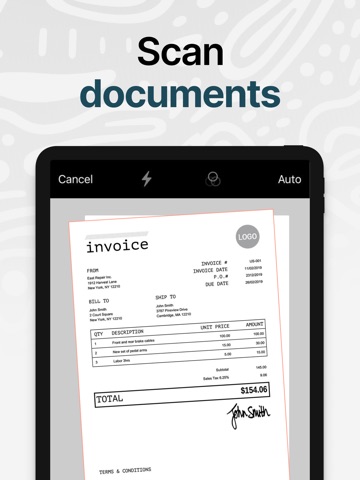
Tasks, files, notes, calendar — all in one place. Memendo combines what other apps separate: your task manager, notepad, file cabinet and calendar in a single, minimalist app. POWERFUL BLOCK EDITOR Create notes with 15 different block types: headings, images, checklists, tables, quotes, code blocks, bookmarks, linked documents and more. Format text with bold, italic, underline and strikethrough. Insert blocks with slash commands — fast and intuitive. EVERYTHING IN ONE DOCUMENT Combine images, PDFs, notes, tasks and files in a single document. No switching between apps, no lost files — everything right where you need it. AI ASSISTANT Your personal assistant summarizes notes, suggests categories and creates tasks from your text — right inside the app. Less typing, more doing. CALENDAR & REMINDERS Keep your schedule in sight: the built-in calendar shows all tasks at a glance. Set reminders, priorities and recurring tasks so nothing slips through. Overdue tasks are highlighted automatically. TASKS — EVERYWHERE Create tasks directly inside your notes, as a quick task from the dashboard or in the calendar. With subtasks, due dates and priorities you stay on top of everything. CATEGORIES, FOLDERS & TAGS Organize your notes with categories, subfolders and tags. Find anything instantly with cross-content search across notes, tasks and files. SCAN & FILE Scan receipts, invoices and documents with your camera directly as PDF into your Memendo documents. Your file cabinet in your pocket. EXPORT & SHARE Export your notes as PDF or Markdown — ready to share in one tap. SYNCED ACROSS DEVICES Your data stays synced in real time. And when you're offline? Just keep working. YOUR STYLE, YOUR APP Customize Memendo with themes, icons and colors. Light mode and dark mode — so staying organized feels good. MEMENDO PREMIUM Get the most out of Memendo: unlimited storage, unlimited categories and notes, larger file attachments up to 200 MB and your personal AI assistant. Start for free — upgrade when you're ready. Start for free and get organized. Terms: https://www.apple.com/legal/internet-services/itunes/dev/stdeula/ Privacy: https://memendo.co/privacy/
Latest release
What’s New
Memendo got a redesign! - A fresh look across the app — new floating tab bar with smooth spring animations, refined modals, and a unified design language everywhere. - Long-press for instant actions — try long-pressing any card, category, or file to see a native menu with the actions you need most. - Brand new icons — we swapped the entire icon set for a sharper, more consistent line-art style. Plus dozens of smaller fixes and polish across the app. Thanks for using Memendo!
Audience growth
Ratings growth
Baseline captured. Growth appears after the crawler observes a changed rating count.
Momentum comes from crawler snapshots for the tracked storefront. “Viral growth signal” means unusually fast recent rating gains; it is an indicator, not download data.
Price tracking
Price intelligence
First snapshot captured. The trend line starts after the next crawler price observation.
- First observed Aug 28, 2026 · 5:38 PM Free
Screenshots