About this app
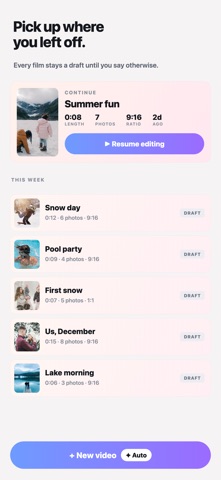
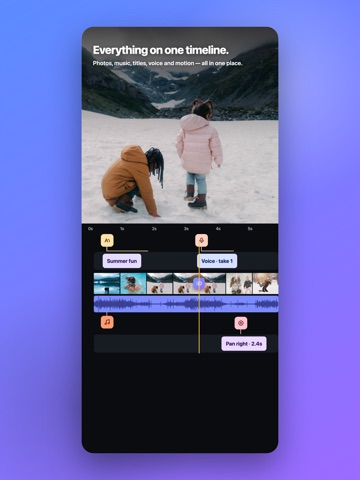
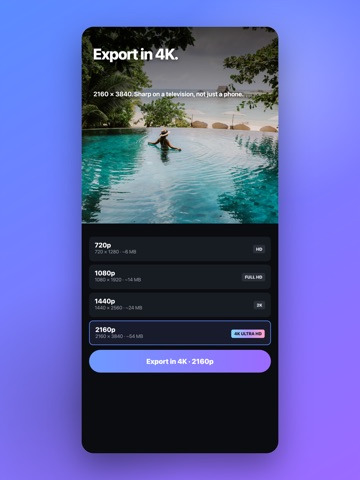
Your photos, set to music. Moments turns the pictures already on your phone into a film worth sharing. Choose your photos, choose a track, and Moments builds it. Birthdays, holidays, weddings, or an ordinary week you want to keep — it takes minutes. BUILT AROUND MUSIC • Add any song from the built-in catalogue, or use music already on your phone • 40 licensed tracks cleared for commercial use — yours to publish • Set the music level, and trim the track to the part you actually want STILLS THAT MOVE Every photo can carry a slow zoom or a pan, so your pictures feel like footage instead of a stack of slides. Set the hold on each one, or apply the same motion to all of them at once. 57 TRANSITIONS Dissolves, glitches, whips, zooms and wipes between photos. Apply one to every cut, or set each one by hand, and adjust the duration to the frame. A REAL TIMELINE • Photos, music, titles, voiceover and motion all in one place • Reorder, retime and replace without hunting through menus • Every change previews instantly VOICEOVER Record straight onto the film with a 3-2-1 count-in — tell the story over the pictures. The music ducks under your voice automatically and comes back up when you stop. 46 FONTS A real type library for titles and captions, with size, colour and alignment. Name the day, the place, the people. EXPORT THAT HOLDS UP • 720p and 1080p, up to 2K and 4K • 9:16, 1:1 and more — sized for wherever it is going • Save to Photos or share anywhere NO ACCOUNT NEEDED Open it and start. Nothing to sign up for, nothing to log into. Your films stay on your phone as drafts until you say otherwise. MOMENTS PRO Pro unlocks unlimited length and photos, 2K and 4K export, the full music catalogue, voiceover, all 57 transitions and all 46 fonts — and removes the watermark. Available weekly or yearly, or as a one-time purchase if you would rather not subscribe. There is also a one-off that removes the watermark and nothing else. Free to try. Nothing is hidden behind a sign-up.
Latest release
What’s New
Version 5.0 — the biggest update Moments has had. • 4K and 2K export • Voiceover, with music that ducks under your voice automatically • 57 transitions, with a duration you control • 46 fonts for titles and captions • Animated photos — a slow zoom or pan on every still • A rebuilt timeline: photos, music, text, voice and motion in one place • Faster, smoother scrolling everywhere Thank you for the reports and the requests. Keep them coming.
Audience growth
Ratings growth
Baseline captured. Growth appears after the crawler observes a changed rating count.
Momentum comes from crawler snapshots for the tracked storefront. “Viral growth signal” means unusually fast recent rating gains; it is an indicator, not download data.
Price tracking
Price intelligence
First snapshot captured. The trend line starts after the next crawler price observation.
- First observed Sep 8, 2026 · 3:42 PM Free
Screenshots