About this app
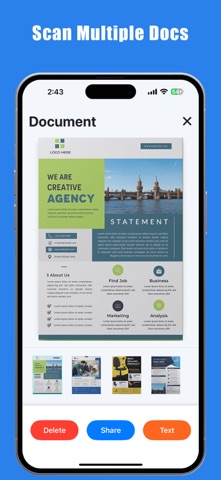
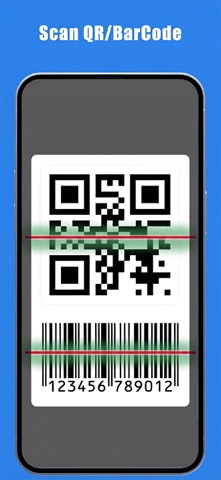
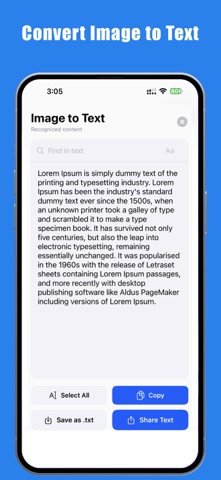
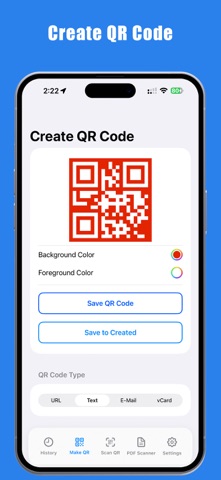
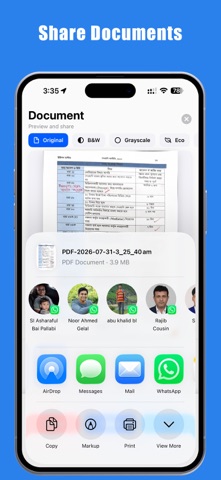
My Scanner is your ultimate all-in-one utility tool for handling documents, QR codes, barcodes, and text recognition (OCR) on the go. Whether you need to digitize a multi-page contract, scan a restaurant menu QR code, check a product barcode, or extract text from an image, DocuScan delivers lightning-fast results with just a single tap. Say goodbye to cluttered phones with multiple single-use apps. DocuScan bridges the gap between document management and matrix code utility in one sleek, ultra-fast interface. ● KEY FEATURES ADVANCED PDF & DOCUMENT SCANNER - Digitize receipts, contracts, notes, certificates, and whiteboards into crystal-clear PDFs. - Smart auto-edge detection and automatic perspective correction for perfect framing every time. - Enhance scans with professional filters (Magic Color, Grayscale, B&W) to maximize readability. - Easily manage, arrange, and merge multi-page documents. INSTANT QR CODE & BARCODE READER - Point-and-scan technology that decodes all standard QR and barcode types in milliseconds. - Instantly open URLs, connect to Wi-Fi networks, add calendar events, or view contact cards (vCard). - Built-in flashlight support for scanning in low-light environments. - Full scan history saved locally so you never lose an important link or code. POWERFUL OCR (OPTICAL CHARACTER RECOGNITION) - Extract text from any scanned document or photo with industry-leading accuracy. - Copy extracted text directly to your clipboard or share it instantly to messages, emails, or notes. - Turn physical paper documents into editable digital text in seconds. SMART FILE MANAGEMENT & SHARING - Organize your files cleanly into custom folders. - Share your high-quality PDF or JPEG exports via Email, WhatsApp, Slack, Google Drive, or AirDrop. - Lightweight app footprint designed for maximum speed and minimal storage usage. ● WHY CHOOSE DOCUSCAN? - ALL-IN-ONE CONVENIENCE: No need to switch between a camera app, a QR scanner, and a PDF app. - PRIVACY-FIRST: All scanning and OCR processing happen directly on your device. Your documents remain entirely yours. - ZERO LAG: Built for performance, opening instantly when you need to scan something right now. Terms of Use (EULA): https://www.apple.com/legal/internet-services/itunes/dev/stdeula/ Streamline your productivity today. Download QR Code Reader and clear the paper clutter for good!
Latest release
What’s New
# Upgraded Scan Engine: Optimized decoding algorithms for even faster QR and barcode recognition. # Refreshed Visual Interface: Clean, premium aesthetic optimization featuring our new vivid blue theme identity (#3b86f6). # Smarter Code Creation: Added new quick-templates to make generating and sharing custom codes snappier than ever. # Performance Fixes: General stability improvements and system bug fixes for a smoother user experience.
Audience growth
Ratings growth
Baseline captured. Growth appears after the crawler observes a changed rating count.
Momentum comes from crawler snapshots for the tracked storefront. “Viral growth signal” means unusually fast recent rating gains; it is an indicator, not download data.
Price tracking
Price intelligence
First snapshot captured. The trend line starts after the next crawler price observation.
- First observed Aug 22, 2026 · 7:50 PM Free
Screenshots