About this app
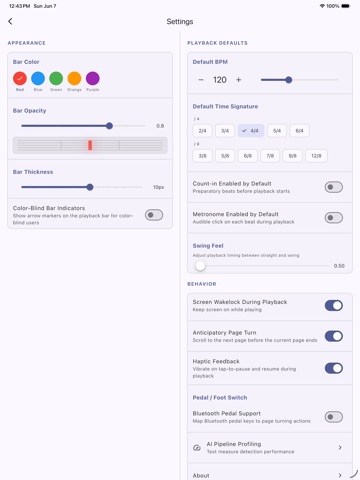
Numgye is a sheet music reader that turns pages for you — automatically, hands-free, no Bluetooth pedal required. Set your tempo, and Numgye's red bar follows your playing measure by measure, turning the page exactly when you need it. AI detects measures in any PDF score, entirely on-device. AUTOMATIC PAGE TURNING No more awkward page turns during performances. Numgye follows your tempo with a moving red bar that highlights the current measure, then seamlessly turns the page when you reach the end. AI-POWERED MEASURE DETECTION Import a PDF and Numgye's on-device AI instantly detects measure boundaries — no internet required. Fine-tune with easy manual editing if needed. BPM SYNC & VISUAL METRONOME Set your tempo from 20 to 300 BPM with a dial, slider, tap tempo, or direct input. The red bar moves across each measure at your exact tempo, giving you a built-in visual metronome. SETLIST MODE Organize multiple scores into setlists for rehearsals, worship sets, or concerts. Play through your entire setlist without stopping. DESIGNED FOR TABLETS Purpose-built for iPad screens. Crisp PDF rendering, smooth page transitions, and a clean interface that stays out of your way while you play. KEY FEATURES • Automatic BPM-synced page turning • AI measure detection (works offline) • Visual red bar metronome • Manual measure editing (add, move, delete, split, merge) • Setlist management for multi-score sessions • Tap tempo for quick BPM setting • Time signature support (2/4, 3/4, 4/4, 6/8, and more) • Screen wake lock during playback • PDF import from Files app • Backup and restore your library PERFECT FOR • Classical musicians practicing long pieces • Church accompanists playing multiple hymns • Music students learning rhythm and timing • Band members at rehearsals • Any musician tired of turning pages Numgye (넘겨) means "turn over" in Korean — because page turning should be automatic.
Latest release
What’s New
• Importing a score now opens it right away, and measure detection starts on its own. • Detection progress is easier to see, and cancelling stops it immediately. • Fixed the top bar covering banners and the measure-edit toolbar. • Fixed the score going blank after rotating the device.
Audience growth
Ratings growth
Baseline captured. Growth appears after the crawler observes a changed rating count.
Momentum comes from crawler snapshots for the tracked storefront. “Viral growth signal” means unusually fast recent rating gains; it is an indicator, not download data.
Price tracking
Price intelligence
First snapshot captured. The trend line starts after the next crawler price observation.
- First observed Sep 14, 2026 · 9:53 PM Free
Screenshots