About this app
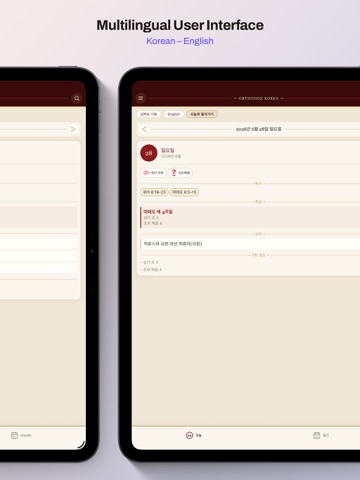
Orthodox Korea Calendar brings the rhythm of the Orthodox Church to your phone — in both English and Korean. Each day, see the feasts and fasts of the liturgical year, the saints commemorated, the appointed Scripture readings, and the tone of the week — clearly presented and easy to follow whether you're at home, at church, or on the go. Stay connected to the community with shared events, and never miss a service, feast, or gathering thanks to timely reminders. FEATURES • Today view — feasts, fasts, commemorated saints, Scripture readings, and liturgical tone for any day • Monthly calendar — see the whole month at a glance and tap any day for details • English & Korean — switch languages instantly; every feast and reading in your language • Community events — services, celebrations, and announcements, including recurring events • Reminders — optional notifications so important days never slip by • Available offline — liturgical data is saved to your device, so the calendar works without a connection • Clean, reverent design inspired by the Byzantine tradition Whether you are a lifelong Orthodox Christian, a catechumen, or simply exploring the faith, Orthodox Korea Calendar helps you live the Church year, one day at a time. Free to use.
Latest release
What’s New
NEW • Date colour code: crimson for Sundays, high-rank feasts and national days; blue for Saturdays. Marked days render with a light effect. • Text selection extended to saint names, liturgical mark captions, weekday and month. IMPROVED • Typeface resolution is now per string rather than per language. The Korean face is applied to Hangul only; the app name, numerals, tone, matins gospel and scripture references retain the Latin serif. • Body typeface unified across iOS and Android. • iPad: bottom tab bar restored, in-app header restored, portrait locked. • Korean terminology revised: Presanctified Liturgy, Liturgy of St Basil the Great. FIXED • Font weight resolution on buttons and active controls. • Drop cap now matches the script of the word it opens. • Scroll indicators hidden; horizontal scrolling removed.
Audience growth
Ratings growth
Baseline captured. Growth appears after the crawler observes a changed rating count.
Momentum comes from crawler snapshots for the tracked storefront. “Viral growth signal” means unusually fast recent rating gains; it is an indicator, not download data.
Price tracking
Price intelligence
First snapshot captured. The trend line starts after the next crawler price observation.
- First observed Sep 1, 2026 · 1:32 PM Free
Screenshots