About this app
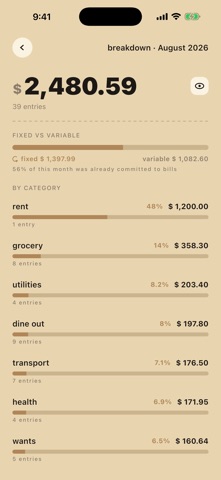
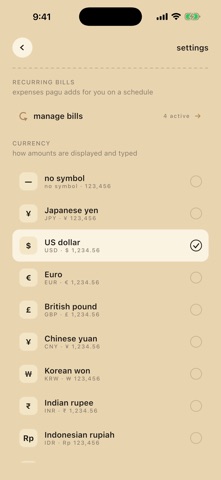
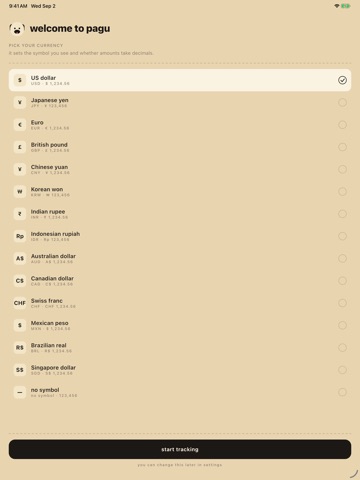
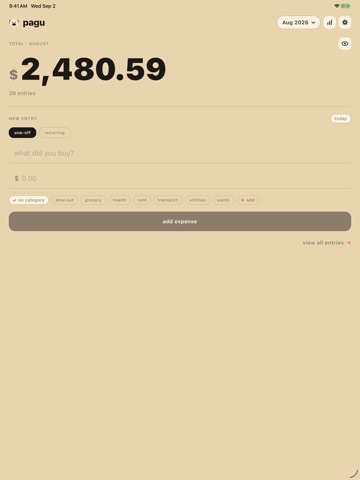
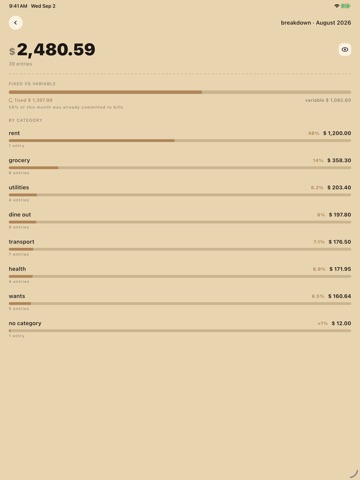
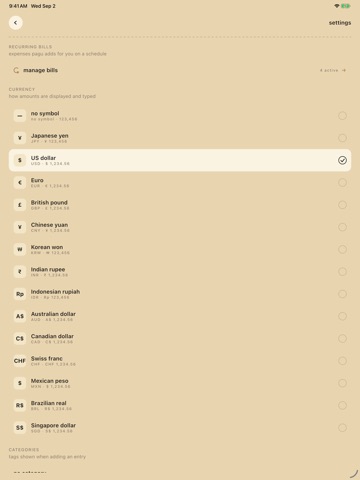
pagu is a very simple expense tracker. Type what you bought, type the amount, tap add. That's the whole app. No sign-up. No bank connection. No budget wizard standing between you and writing down a ¥400 coffee. Just a fast way to record what you spent and an honest running total. THE MONTH TOTAL, IN HUGE NUMBERS The first thing you see is what you've spent this month, set in type big enough to be slightly uncomfortable. Everything else serves it: a title field, an amount field, a date chip, a category chip, and one big "add expense" button. ADD AN EXPENSE IN SECONDS • Type, tap, done — no menus, no multi-step forms • Backdate anything: tap the date chip and pick any day up to today • Tag it with a category, or don't — categories are optional • Switch months from the chip in the corner to review or fill in the past SEE WHERE IT ACTUALLY WENT • Every entry for the month, grouped by day, newest first • Filter by category, or down to a single day • A by-category breakdown with percentage bars, so the surprise is visible • Delete any entry with one tap MAKE IT YOURS • 15 currencies — yen, US dollar, euro, pound, yuan, won, rupee, rupiah, Australian and Canadian dollars, Swiss franc, Mexican peso, Brazilian real, Singapore dollar — plus a no-symbol mode for people who just want numbers • Categories are yours: eight to start (grocery, dine out, transport, utilities, wants, health, rent, and none), add your own, delete the ones you'll never use PRIVATE BY DEFAULT There's no account because there's no server. Your expenses live in one database file on your device. They are never uploaded to us, never synced, never sold, never shown to an advertiser. pagu asks for no location, contacts, camera, photo or storage access — it doesn't need any of it. The app sends anonymous crash reports and basic usage analytics (which screens get opened) so bugs can be found and fixed. Amounts, titles and your category names are never included in any of it. Because everything is local, there's no sync between devices — your phone's copy is the copy. If you use iPhone's built-in backup, your expense file rides along with it and comes back when you set up a new phone. ABOUT THE PUG "pagu" (パグ) is Japanese for pug, so the app is dressed as one. Fawn coat background, mask-black ink, tongue-pink accents, a small pug face beside the wordmark, and a paw print marking each day in your list. The "add expense" button is the pug's face. WHO IT'S FOR People who installed a full-featured finance app, linked the accounts, set up the categories, and quietly stopped opening it three weeks later. If what you actually wanted was a notebook that adds things up, this is that. Free. No ads. No in-app purchases. No account.
Latest release
What’s New
- New features - Currency selection on first launch - Hide expense amount feature - Recurring bills feature - Minor bug fixes - UI enhancements
Audience growth
Ratings growth
Baseline captured. Growth appears after the crawler observes a changed rating count.
Momentum comes from crawler snapshots for the tracked storefront. “Viral growth signal” means unusually fast recent rating gains; it is an indicator, not download data.
Price tracking
Price intelligence
First snapshot captured. The trend line starts after the next crawler price observation.
- First observed Sep 8, 2026 · 7:27 AM Free
Screenshots