About this app
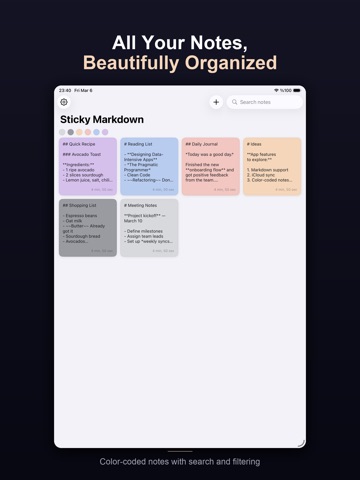
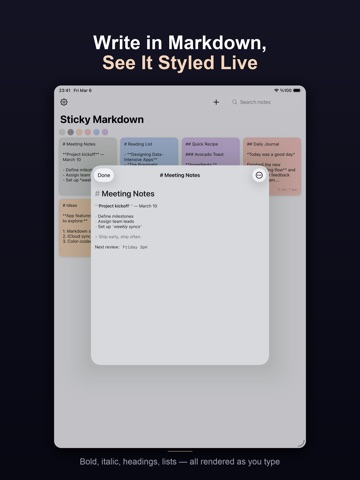
Pane is a premium sticky notes app designed for people who think in text. Write in Markdown with a live WYSIWYG editor that hides syntax markers as you type — just like Bear. Bold, italic, headings, code, strikethrough, and links all render beautifully while keeping your notes in plain text. WRITE & ORGANIZE • Floating sticky notes on your Mac desktop with frosted glass backgrounds • Six Apple-inspired colors — Silver, Space Gray, Gold, Rose Gold, Blue, Purple • Checklist mode with tap-to-toggle checkboxes • Smart Folders auto-sort notes into Work, Personal, Shopping, Ideas, and Journal • Kanban board to track notes through Backlog, To Do, In Progress, and Done • Wiki-style [[note links]], @mentions, and backlinks to connect your thoughts • 50+ curated templates for meetings, journals, projects, movies, books, and more FOCUS & PRODUCTIVITY • Focus Timer with Pomodoro cycles built into every note • Reminders with local notifications and Apple Calendar sync • Natural date detection — write "meeting on Friday" and Pane suggests a reminder • Typewriter mode keeps your cursor centered while you write • Voice transcription for hands-free note capture EVERYWHERE YOU NEED IT • Mac menu bar app — always one click away, never clutters your Dock • Full-featured iOS app with grid, list, and kanban views • iCloud sync keeps everything in sync across all your devices • Apple Watch companion for quick capture on the go • Lock Screen widgets to keep important notes visible • Dynamic Island shows your active note while multitasking • Spotlight search and Handoff for seamless workflow • Siri Shortcuts integration PRIVATE & SECURE • Lock sensitive notes with Face ID, Touch ID, or Optic ID • All data synced through your personal iCloud — we never see your notes • No account required, no tracking, no ads Pane is built for people who want their notes fast, beautiful, and out of the wa
Latest release
What’s New
If you put your phone on the table and go for a walk, the app won't stop working.
Audience growth
Ratings growth
Baseline captured. Growth appears after the crawler observes a changed rating count.
Momentum comes from crawler snapshots for the tracked storefront. “Viral growth signal” means unusually fast recent rating gains; it is an indicator, not download data.
Price tracking
Price intelligence
First snapshot captured. The trend line starts after the next crawler price observation.
- First observed Aug 30, 2026 · 8:44 AM $5.99
Screenshots