About this app
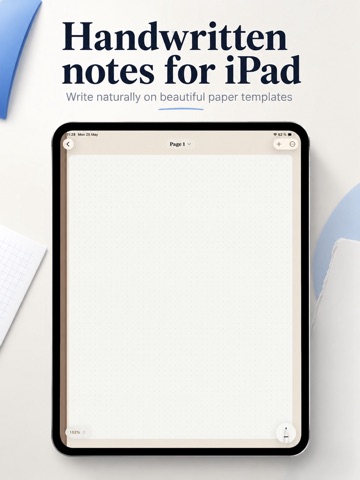
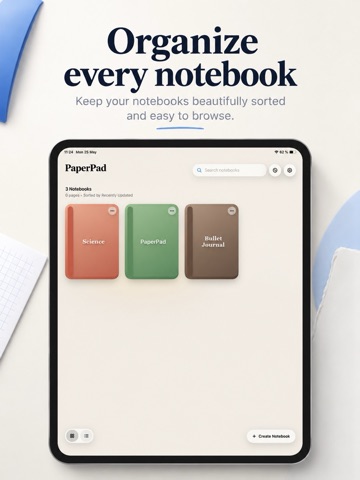
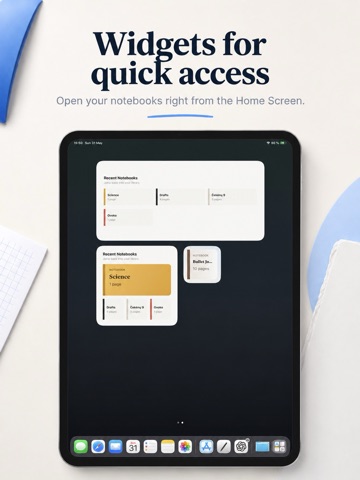
PaperPad is a calm iPad notebook app for handwriting, paper templates, and PDF-ready notes. Create notebooks for study, planning, work, journaling, or personal ideas. Choose a paper style, write with Apple Pencil or finger drawing, organize pages, and export clean PDFs when you need to save or share your notes. Start with the right paper: Blank pages Graph paper Dot grid Lined paper Cornell Notes Handwriting practice Language and script practice Music staff and tablature Math, scientific, and specialty layouts Write naturally: Use Apple Pencil input Enable finger drawing when needed Zoom in for detail Change page template and paper color Work with real page sizes: US Letter, A4, A5, and US Legal Organize your notebooks: Create custom notebook covers Choose cover colors and title fonts Browse pages in grid or list view Reorder notebook pages Open notebooks quickly with Home Screen widgets Protect the app with Face ID app lock Export your notes: Export a single page as PDF Export selected pages with Pro Export full notebooks with Pro PaperPad is local-first and does not require an account. Optional iCloud saving is available with Pro. Free includes: Up to 3 notebooks Up to 30 total pages Blank, Dot Grid 5mm, and Graph 5mm templates Single-page PDF export System, Light, and Dark themes Selected cover colors and title fonts All page sizes PaperPad Pro unlocks: Unlimited notebooks Unlimited pages All paper templates Full notebook PDF export Selected pages PDF export All notebook cover colors All title fonts All paper colors iCloud saving Pro themes PaperPad Pro is available monthly, yearly, or as a lifetime purchase. Terms of use: https://www.apple.com/legal/internet-services/itunes/dev/stdeula/
Latest release
What’s New
PaperPad 1.0.4 brings a faster page creation flow. You can now quickly access your recently used paper styles right from the template picker, alongside your favorites. This update also includes smaller polish improvements and fixes across the app.
Audience growth
Ratings growth
Baseline captured. Growth appears after the crawler observes a changed rating count.
Momentum comes from crawler snapshots for the tracked storefront. “Viral growth signal” means unusually fast recent rating gains; it is an indicator, not download data.
Price tracking
Price intelligence
First snapshot captured. The trend line starts after the next crawler price observation.
- First observed Sep 14, 2026 · 9:53 PM Free
Screenshots