About this app
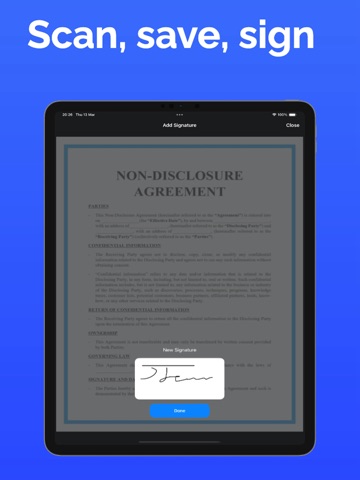
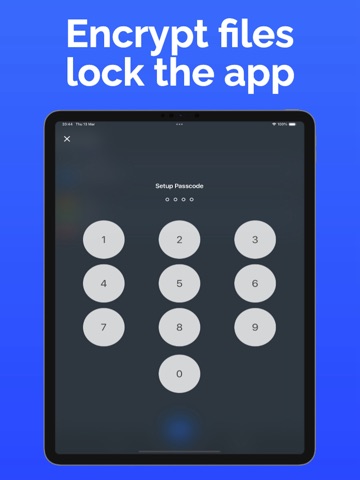
Handy, fast, and efficient — PDF Scanner by ScanWise is your ultimate document scanning tool. Turn your smartphone into a powerful portable scanner and digitize any document in seconds. With smart OCR technology, high-resolution output, and full customization options, scanning, saving, and sharing documents has never been this easy. PDF Scanner makes it possible to scan all kinds of paperwork including contracts, receipts, ID cards, books, magazines, posters, photos, and passports. Keep everything organized, secure, and accessible — right in your pocket. Key Features: Smart PDF Scanner: Quickly scan documents, forms, notes, and more. Create clear, professional-quality PDFs from your phone camera or image library. OCR Technology: Extract text from scanned images with Optical Character Recognition. Edit, copy, and share text from books, printed pages, or handwritten notes. Document Signing: Easily add your signature to scanned documents. Sign contracts, forms, and official papers directly within the app — no printing required. Advanced Document Editor: Rename, copy, move, delete, and reorder scanned pages. Adjust brightness and contrast, crop edges, and manage files into folders. Create single or multi-page PDFs with ease. Secure File Protection: Set passcodes and encrypt files to keep your scanned documents private and safe. JPG to PDF Converter: Import images or scan using your camera to convert into a single PDF file in just a few taps. Share Instantly: Send your scanned files directly via email, messaging apps, or cloud storage. Compatible with WhatsApp, Facebook, Instagram, Telegram, Messenger, and more. Made for Everyone: Whether you're a student scanning notes or a professional managing contracts, this app is designed for fast, reliable scanning on the go. Highlights: Clean, user-friendly interface Automatic background cleanup Sign documents directly in the app Image-to-text conversion with OCR Import or scan using your camera Free to use, ideal for both students and professionals Experience the easiest way to scan, save, and share documents with the PDF Scanner app. Privacy Policy: https://pdfscanneriosapp.wordpress.com Terms & Conditions: https://pdfscanneriosapp.wordpress.com
Latest release
What’s New
A big one. New tools, a new look, and a library that's far faster. NEW • Merge PDFs — combine several scans into one file, in the order you choose • Compress PDFs — shrink a document down to something you can actually email • QR & barcode scanner — point at a code to open the link or copy what it holds • Siri & Shortcuts — say "Scan a document" and the camera opens • Search from the Home Screen — your documents now turn up in iPhone search REDESIGNED • Light mode, at last — the app follows your iPhone's appearance • A cleaner library with sharper, faster page previews • Rebuilt signing: keep more than one signature and drop it on any page, at the full quality of the original scan FASTER • Opening a folder no longer loads every page, so big libraries open right away • Scans keep their original quality no matter how often you edit and save FIXED • Renaming, moving or deleting could act on the wrong document when two shared a name • The passcode didn't re-lock when you left the app • PRO features kept showing as locked after subscribing • Sharing a PDF left a second copy on your device, quietly using up storage • Signatures always landed on page 1, whichever page you picked • A rare case where a page could go missing while a document was saving Something not working? Email us from Settings — we read everything.
Audience growth
Ratings growth
Baseline captured. Growth appears after the crawler observes a changed rating count.
Momentum comes from crawler snapshots for the tracked storefront. “Viral growth signal” means unusually fast recent rating gains; it is an indicator, not download data.
Price tracking
Price intelligence
- First observed Sep 11, 2026 · 8:59 PM Free
Screenshots