About this app
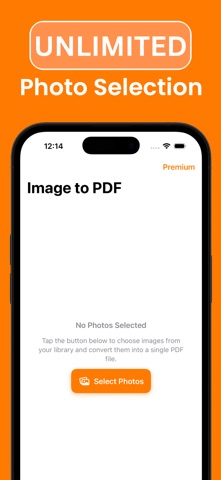
Photo to PDF Converter is the fastest, easiest, and most reliable way to convert your photos into PDF files. With our powerful Photo to PDF Converter, you can quickly turn pictures, images, scans, and documents into clean and professional PDFs. If you are looking for the best Photo to PDF app, Photo to PDF Converter is designed for you. With Photo to PDF Converter, you can: Convert photos to PDF instantly Select one or multiple photos and turn them into high-quality PDF files. Whether it’s notes, receipts, forms, ID cards, business documents, certificates, whiteboards, or any kind of image, Photo to PDF Converter makes conversion easy. Combine multiple images into one PDF Merge several pictures into a single PDF document. Perfect for organizing scans, schoolwork, or multi-page files. Share your Photo to PDF files anywhere Quickly share your converted PDFs via email, messaging apps, cloud storage, or any platform you prefer. High-quality and secure Enjoy sharp and professional PDF output. Protect sensitive files with optional security features. Work offline with Photo to PDF Converter No internet needed. Convert photos to PDF anytime, anywhere without uploading files to the cloud. Your data stays private. Fast and easy to use Photo to PDF Converter is built for speed. In just a few taps, you can select images, arrange them, and generate your PDF. Why choose Photo to PDF Converter? Many apps claim to convert images, but Photo to PDF Converter focuses entirely on one thing: making the photo-to-PDF conversion process as simple and reliable as possible. Whether you’re a student, a professional, or just need a quick way to archive and share files, Photo to PDF Converter is the ultimate solution. Convert photos to PDF without limits Combine and organize multiple pictures in one document Keep your PDFs clean, clear, and professional Save and share converted files with just one tap Use cases for Photo to PDF Converter Convert receipts and invoices into PDF for record-keeping Digitize ID cards, certificates, or forms Scan and archive handwritten notes Turn whiteboard photos into shareable PDFs Create multi-page PDF documents from multiple photos Whatever your need, Photo to PDF Converter makes the process seamless. Subscription Terms Unlock the full power of Photo to PDF Converter Premium: Unlimited photo to PDF conversions Faster processing Payment will be charged to your iTunes account at confirmation of purchase. Subscriptions renew automatically unless auto-renew is turned off at least 24 hours before the end of the current period. Manage your subscription and turn off auto-renewal in your Account Settings. Any unused portion of a free trial will be forfeited when you purchase a subscription. We are constantly improving Photo to PDF Converter to give you the best experience. Try the app now and discover why it’s the most trusted way to convert photos to PDF. EULA terms: https://www.apple.com/legal/internet-services/itunes/dev/stdeula/
Latest release
What’s New
This Version of Photo to PDF Converter brings bug fixes!
Audience growth
Ratings growth
Baseline captured. Growth appears after the crawler observes a changed rating count.
Momentum comes from crawler snapshots for the tracked storefront. “Viral growth signal” means unusually fast recent rating gains; it is an indicator, not download data.
Price tracking
Price intelligence
First snapshot captured. The trend line starts after the next crawler price observation.
- First observed Aug 26, 2026 · 11:11 PM Free
Screenshots