About this app
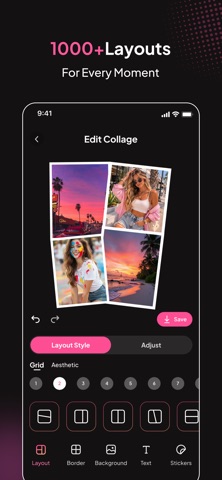
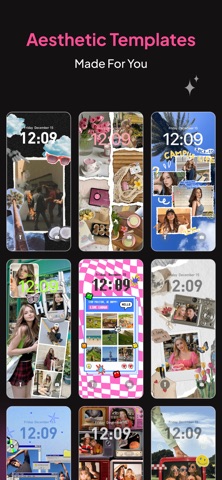
Turn your favorite photos into beautiful collages with PicStudio: Collage Editor. Combine pictures, explore creative layouts, and design stunning photo collages in just a few taps. Whether you want to capture memories, create aesthetic wallpapers, or design stylish photo layouts for social media, PicStudio makes collage creation simple, fun, and flexible. Create Beautiful Photo Collages Design amazing collages with a variety of grid layouts and creative styles. Simply select your photos and PicStudio will instantly arrange them into beautiful compositions. You can easily adjust the layout, spacing, and style to make your collage look exactly the way you want. Stylish Layouts Explore modern and aesthetic collage styles designed to make your photos stand out. Mix different photo layouts, adjust borders, and create unique visual designs in seconds. Perfect for sharing your memories, travel photos, and everyday moments. DIY Wallpaper Creator Turn your favorite photos into personalized wallpapers. Choose a template, upload your photos, and instantly generate custom designs that look great on your device. Create unique wallpapers that match your style. Customize Every Detail Make your collage truly yours with powerful editing tools: -Adjust layout spacing and ratio -Customize borders and rounded corners -Choose from colorful backgrounds and patterns -Add fun stickers and decorative elements -Insert text with different fonts and colors With these tools, you can design creative collages exactly the way you imagine. Why Choose PicStudio -Easy-to-use collage maker -Modern grid and layout designs -Powerful yet simple editing tools -Custom backgrounds, stickers, and text -Perfect for memories, social posts, and wallpapers PicStudio helps you turn everyday photos into creative visual stories. Start creating your next photo collage today! Privacy Policy: https://d1jz303yhvyh9.cloudfront.net/privacy-policy Terms of Use (EULA): https://www.apple.com/legal/internet-services/itunes/dev/stdeula/
Latest release
What’s New
-Improved editing performance -New collage templates
Audience growth
Ratings growth
Baseline captured. Growth appears after the crawler observes a changed rating count.
Momentum comes from crawler snapshots for the tracked storefront. “Viral growth signal” means unusually fast recent rating gains; it is an indicator, not download data.
Price tracking
Price intelligence
First snapshot captured. The trend line starts after the next crawler price observation.
- First observed Aug 25, 2026 · 10:49 PM Free
Screenshots