About this app
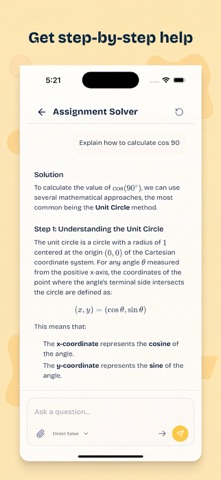
Piply is a complete study, revision, and assignment help app for students. Turn lectures, YouTube videos, articles, PDFs, slides, and class notes into study notes, quizzes, flashcards, mind maps, and personalized revision sessions. Upload assignment questions and solve them with guided, step-by-step explanations. Piply learns from your materials, goals, and study activity to help you understand difficult topics, decide what to revise next, and prepare for exams with more structure. STUDY FROM YOUR OWN MATERIALS • Turn PDFs, slides, notes, articles, and videos into study notes • Generate quizzes, flashcards, and mind maps • Ask questions and get clear explanations • Solve assignments with step-by-step guidance • Read, highlight, and review materials in one place • Research difficult topics in more depth PLAN YOUR REVISION • Import exam and semester timetables • Organize materials into course workspaces • Build revision plans around your exams and goals • Schedule focused study sessions • Track your study time and progress STUDY WITH OTHERS • Join group study sessions • Collaborate with classmates • Share materials across courses and communities • Stay consistent with streaks, XP, achievements, and leaderboards Piply gives you one workspace for exam preparation, assignment solving, active recall, revision planning, focused study, and group learning. Instead of switching between folders, note apps, flashcard tools, planners, and group chats, you can manage your entire study workflow in one place. Terms of Use (EULA): https://www.apple.com/legal/internet-services/itunes/dev/stdeula/ Additional Terms: https://piply.ai/terms Privacy Policy: https://piply.ai/privacy Need help? Contact support@piply.ai.
Latest release
What’s New
Meet your new AI study assistant. It understands what you’ve studied, shows what’s still pending, and recommends what to focus on next. We’ve also added Daily Practice, with personalized questions (for free) to help you revise consistently and prepare for exams.
Audience growth
Ratings growth
Baseline captured. Growth appears after the crawler observes a changed rating count.
Momentum comes from crawler snapshots for the tracked storefront. “Viral growth signal” means unusually fast recent rating gains; it is an indicator, not download data.
Price tracking
Price intelligence
First snapshot captured. The trend line starts after the next crawler price observation.
- First observed Aug 21, 2026 · 11:25 PM Free
Screenshots