About this app
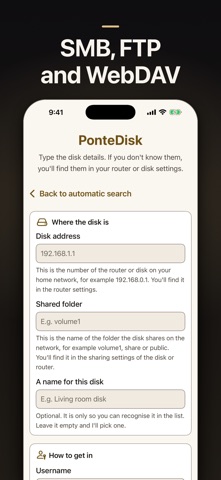
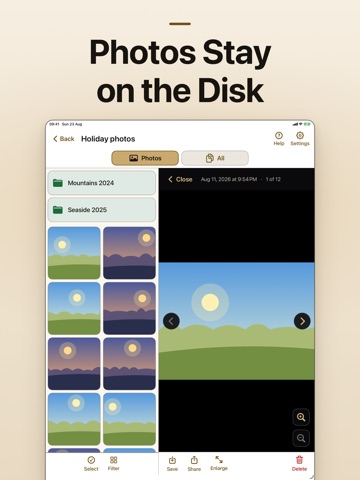
Open the photos and files that already live on your home disk. PonteDisk connects your iPhone to a NAS, a shared folder on a PC, or any network disk on the same Wi-Fi. The files stay on the disk. You browse them, preview them, and copy one only when you want it on the phone. WHAT IT CONNECTS TO • SMB / Samba shares (home NAS, Windows PC, router storage) • FTP and FTPS servers • WebDAV (including Nextcloud) • Disks found automatically on the local network WHAT YOU CAN DO • Browse folders with a photo gallery and a full file list • Preview images, then save a copy to the Camera Roll • Upload photos and videos from your phone to the disk • Rename, move, delete, and share files • Transfers continue in the background BUILT TO BE SIMPLE PonteDisk is meant for the disk at home, not for a server room. It looks for disks on Wi-Fi so you do not have to type an IP address. Photos stay on the disk until you choose to copy one. Not a USB cable app, and not a cloud locker. If the disk is on and you are on home Wi-Fi, PonteDisk opens it.
Audience growth
Ratings growth
Baseline captured. Growth appears after the crawler observes a changed rating count.
Momentum comes from crawler snapshots for the tracked storefront. “Viral growth signal” means unusually fast recent rating gains; it is an indicator, not download data.
Price tracking
Price intelligence
First snapshot captured. The trend line starts after the next crawler price observation.
- First observed Sep 13, 2026 · 4:10 AM Free
Screenshots