About this app
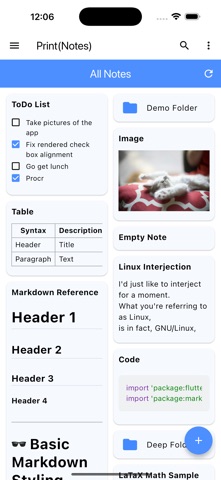
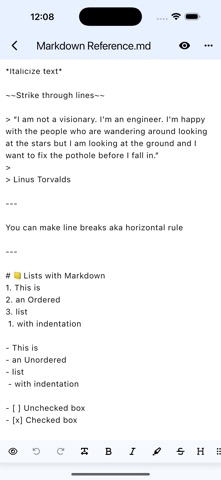
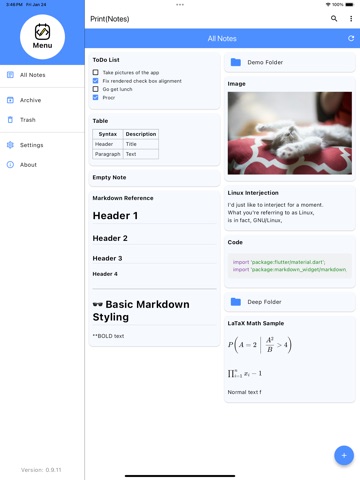
Print(Notes) is an open source markdown notes app, inspired by the look of Google Keep and functionality of Dynalist's Obsidian. Solo developed as a passion project, coming now to iOS! All notes and folders are stored locally on the device, you can access them from the Files app! Features Include: - Ultimate customizability - Many theme for light and dark mode - Create your own custom color themes - Change note display layout (Grid, List, Tree views) - Supports Markdown and LaTeX formatting - Includes basic Image and PDF viewers
Latest release
What’s New
Changes: - When creating new note, automatically goes into edit mode and opens keyboard - Swipe from right side on note screen no longer opens table of contents, now only accessible through bottom button - Bottom messages from actions now shows file/folder name - Checkboxes now edit text and save when toggling them from preview mode - Creating notes without a name automatically gives it "untitled" name - File names in editor are no longer selectable to copy text - Added option for notes to default to edit mode on open instead of preview - To find setting, open any note > select 3 vertical dots > select Configure - Added button in settings for where to report issues - Added a recently opened notes tab in drawer to see notes viewed the past week - Redesign of the Settings screens and About page - Improved tag parsing - Added Superscript and Subscript markdown syntax - Moved toolbar config to separate json file - Added sketchpad that saves files as ".bson" files - Changed file duplication increments with a number instead of adding "_copy" to name over and over. - Added a share button on note editor (for text), and to PDF and Image viewers (to share file) Fixed: - Note preview not updating after editing - Fixed issue with note editors text selection extending across full width of screen instead of only around text - Empty notes no longer show "..." when it is empty - Recently opened files list trying to show files that don't exist - File duplication appending additional numbers if duplicating a duplicate - Drawer not seeing most tags - Custom style settings not being loaded on startup - Tags showing up incorrectly in drawer tag menu - Fixed archive screen navigation breaking
Audience growth
Ratings growth
Baseline captured. Growth appears after the crawler observes a changed rating count.
Momentum comes from crawler snapshots for the tracked storefront. “Viral growth signal” means unusually fast recent rating gains; it is an indicator, not download data.
Price tracking
Price intelligence
First snapshot captured. The trend line starts after the next crawler price observation.
- First observed Aug 22, 2026 · 2:59 AM Free
Screenshots