About this app
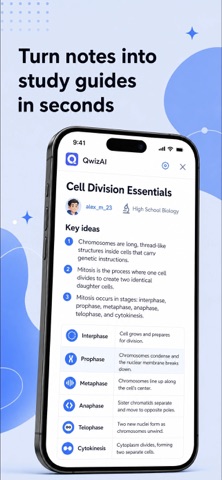
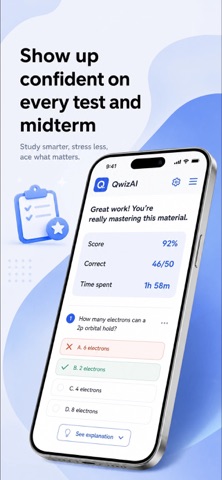
Imagine opening the app the morning before an exam and already knowing exactly what to study today — which topics still need work, which cards you keep getting wrong, which questions are most likely to come up — because the app has been tracking all of it and built your session around what actually matters. This is an AI-powered study and exam prep app for students who want to stop guessing what to review and start spending their study time on what will actually move the needle. WITHOUT THIS APP You make flashcards manually for hours before you can study a single thing You review the same material you already know because you have no clear picture of where your gaps actually are Every study session starts from scratch with no daily structure and no sense of whether you are making progress toward the exam You get stuck on a concept with no one to ask at 11pm the night before a test WITH THIS APP Paste any text, notes or topic and AI generates a complete flashcard set in seconds — ready to study immediately Today's Tasks tells you exactly what to work on each day based on your progress and how much time you have before the exam Three study modes adapt to how deeply you know the material — from quick recall all the way to writing the answer yourself Ask AI anything that comes up during your session and get an explanation immediately, without breaking your study flow WHAT'S INSIDE AI Flashcard Creator — generate complete flashcard decks from any text, notes or topic instantly Progress Tracker — ongoing record of what you know and where your gaps are across every deck Exam Progress Tracker — exam-specific readiness score that tracks how prepared you are as the date approaches Today's Tasks — daily study agenda built from your progress data and exam timeline Study Modes — three adaptive learning formats: Reveal Answer, Multiple Choice and Fill in the Blanks Ask AI — in-session question tool for instant explanations on anything that comes up while studying AI Tutor — personalized study guidance, concept explanations and worked examples on demand Quizzes — full quiz sessions that test across your decks and report back on performance by topic SUBSCRIPTION & ACCESS Important: Subscription required; no free content. Payment upon subscription confirmation. Subscription management in Account Settings. Free trial shifts to paid subscription; unused portion forfeited upon upgrade. Renewals unless disabled 24 hours before the current period ends. For additional information, please refer to our Privacy Policy and Terms of Use: [Privacy Policy] https://docs.google.com/document/d/195inQdmOACUpm8zEEaTGIiwMWfOEsk4JPa3zzqMMU4Y/edit?usp=sharing [Terms of Use] https://docs.google.com/document/d/1mcHA96QCOBV_z3luSr2i0FDyPvR05qw9VSGuBJYfnsA/edit?usp=sharing
Latest release
What’s New
What's new: - Improved the flashcard creation flow - Refined study modes - Improved how progress tracking works - Fixed minor issues and improved stability
Audience growth
Ratings growth
Baseline captured. Growth appears after the crawler observes a changed rating count.
Momentum comes from crawler snapshots for the tracked storefront. “Viral growth signal” means unusually fast recent rating gains; it is an indicator, not download data.
Price tracking
Price intelligence
First snapshot captured. The trend line starts after the next crawler price observation.
- First observed Aug 24, 2026 · 5:34 PM Free
Screenshots