About this app
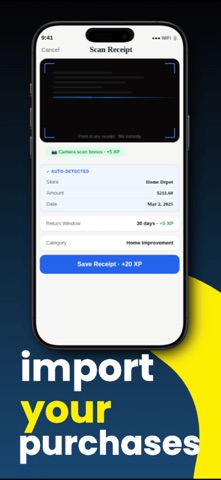
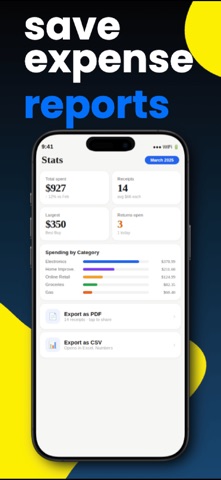
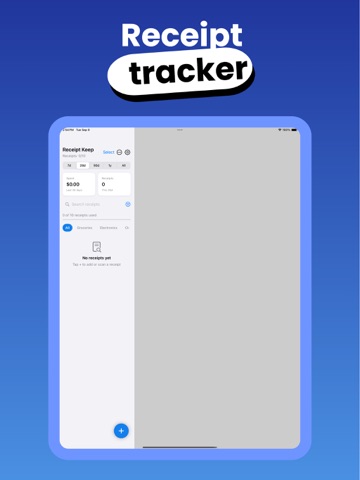
Receipt Keep is the simplest way to track receipts, organize business expenses, monitor return windows, and understand your spending — all in one place. AI-POWERED SCANNING Point your camera at any receipt and our AI fills in the store, total, subtotal, tax, date, and category automatically. No typing required. Works on receipts from any store, in any currency. ORGANIZE WITH TAGS Tag receipts however you like — "Business Expense," a client, a trip — and filter to exactly what you need in one tap. Record the card or payment method you used, too. TAX & EXPENSE TRACKING See subtotal, tax, and the merchant's tax ID broken out on every receipt — perfect for business expense reports, reimbursement, and tax write-offs. Export everything, filtered by tag, as a PDF or CSV in one tap. NEVER MISS A RETURN Set return windows when you save a receipt and we'll remind you before the deadline expires. No more missing the window on expensive purchases. WARRANTY TRACKING Log warranty end dates and get notified before coverage expires on electronics, appliances, and more. SPENDING INSIGHTS See exactly where your money goes with automatic category breakdowns. Filter by this month, last 30 days, 90 days, this year, or all time. SYNCED & BACKED UP Your receipts sync securely across all your devices through iCloud, and full backup and restore means you'll never lose a thing — even on a new phone. STAY MOTIVATED Earn XP and unlock badges as you build the habit of tracking receipts. Level up and keep your streak going. PRIVATE & SECURE Text recognition runs on your device, and your receipts are stored privately in your own iCloud — not on our servers. Sign in with Apple keeps your account secure. Terms of Use: https://www.apple.com/legal/internet-services/itunes/dev/stdeula/ Privacy Policy: https://github.com/bobemedia/receiptkeepprivacy/blob/main/privacy
Latest release
What’s New
This is a big update: - NEW: Tag your receipts (like "Business Expense") and filter instantly - NEW: Capture subtotal, tax, tax ID, and currency on every receipt - NEW: Record the payment method or card you used - NEW: Export filtered PDF and CSV expense reports - Your receipts now sync and back up through iCloud — safe across all your devices - Faster, more reliable, and lots of polish under the hood Have a feature request? We'd love to hear it.
Audience growth
Ratings growth
Baseline captured. Growth appears after the crawler observes a changed rating count.
Momentum comes from crawler snapshots for the tracked storefront. “Viral growth signal” means unusually fast recent rating gains; it is an indicator, not download data.
Price tracking
Price intelligence
First snapshot captured. The trend line starts after the next crawler price observation.
- First observed Aug 24, 2026 · 4:07 AM Free
Screenshots