About this app
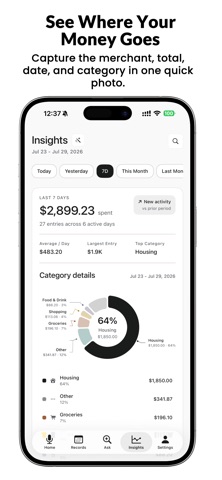
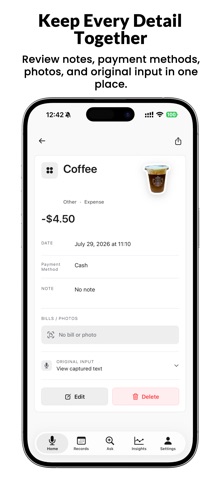
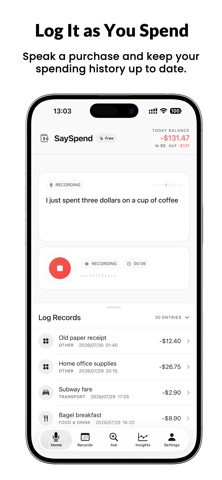
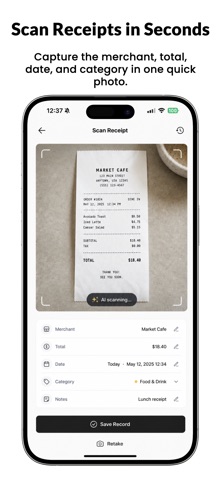
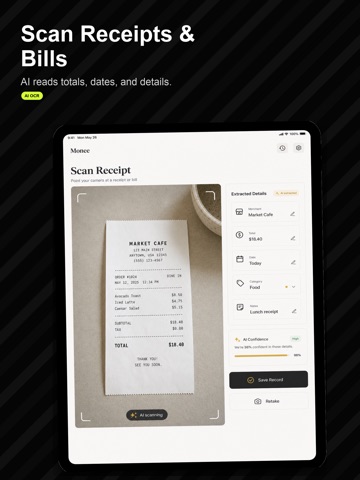
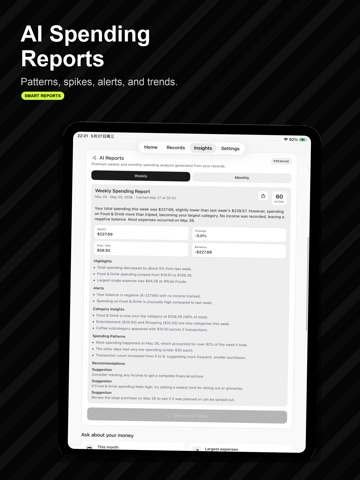
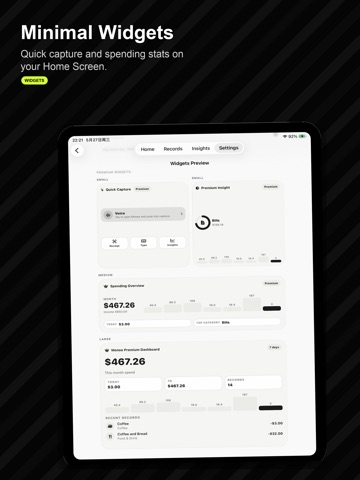
Log expenses in seconds by speaking or scanning a receipt. SaySpend turns each purchase into a reviewable record, with no bank connection required. Speak a purchase, scan a receipt, bill, or payment screen, or add it yourself. AI helps recognize the item, amount, date, and category before you review and save. Capture every expense in seconds No ads, account registration, bank connection, or long forms. Speak naturally, for example: “I bought a coffee this morning for $5.” SaySpend recognizes the item, amount, and time, then turns your words into a record you can review before saving. Keep receipts, bills, and payment screens together Store receipts, invoices, payment screens, and bills with each expense. Scan a photo and let AI help extract key details before you save. Track how you paid Record cash, cards, digital wallets, bank transfers, and other payment methods alongside each expense. Ask your ledger with AI When your ledger has enough history, search a purchase or ask a question about spending. SaySpend bases answers on your saved titles, amounts, categories, dates, and notes—not generic financial advice. Receipt photos are not shared for these answers. Review AI results before acting. Capture faster with Back Tap Install the SaySpend Shortcuts once, then assign them to Back Tap in iPhone Settings: - Double-tap the back of your iPhone to capture a screenshot of a receipt, invoice, or payment screen and send it to SaySpend. - Triple-tap to start Quick Add. Enter the amount, product, date, and category, then save without opening the app. Today’s date is selected by default, and your default payment method is applied automatically. The selected date is preserved while the current time is recorded. More ways to stay on top of spending - Log expenses by voice - Scan receipts and bills - Track spending, income, subscriptions, and daily costs - Review category trends and AI summaries - Ask SaySpend about your ledger and spending patterns - Attach photos and item stickers to records - Use widgets and Shortcuts for faster capture - Export or review your history when needed Minimal by design A calm, focused interface keeps daily expense tracking simple, with no unnecessary setup. Private by design SaySpend does not require bank linking. AI results may need review before saving, and your records should be checked for accuracy. SaySpend is a personal finance tracking tool. It does not provide financial, tax, investment, credit, debt, or legal advice. Terms of Use (EULA): https://www.apple.com/legal/internet-services/itunes/dev/stdeula/ Privacy Policy: https://sunheihei.github.io/Flow-Ledger-Privacy/privacy Terms of Use: https://sunheihei.github.io/Flow-Ledger-Privacy/terms.html
Latest release
What’s New
What's New • New accounts for cash, bank, credit, and wallet balances, with transfers and balance reconciliation. • A redesigned Insights view brings monthly and category budgets, plus payment and account balances, together. • Bills & Reminders now includes a clearer cash-flow forecast for recurring income and expenses. • Budget alerts remind you as your monthly budget approaches its limit and again when it is reached; Pro also gets these alerts for category budgets. • Record card and wallet balances directly; Pro automatically keeps tracked balances up to date as you add expenses. • Clearer AI usage details, improved recurring spending flows, and more reliable backup, sync, and localization. • Faster capture with Back Tap and Shortcuts remains fully supported.
Audience growth
Ratings growth
Baseline captured. Growth appears after the crawler observes a changed rating count.
Momentum comes from crawler snapshots for the tracked storefront. “Viral growth signal” means unusually fast recent rating gains; it is an indicator, not download data.
Price tracking
Price intelligence
First snapshot captured. The trend line starts after the next crawler price observation.
- First observed Sep 1, 2026 · 1:32 PM Free
Screenshots