About this app
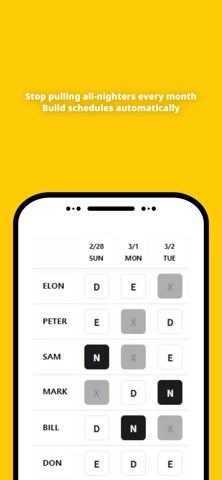
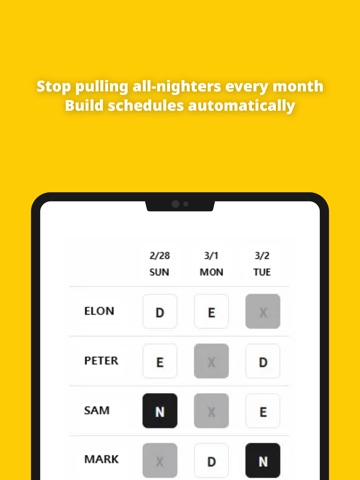
Spent your Sunday building next month's roster? Never again. Schedule Auto builds a balanced Day/Evening/Night/Off schedule for your entire team in seconds. You set the rules, members submit their preferences, the app does the rest. Built for shift managers everywhere: nursing teams, factories, call centers, hotels, security, and any team running a 3-shift rotation. The real headache isn't the shifts — it's juggling night fairness, back-to-back coverage, requested days off, and individual preferences all at once. Without dropping coverage on a single day. HOW IT WORKS 1. Create a room. Set year, month, team size, and weekday/weekend staffing. 2. Share the 4-digit code. Members join and enter their own shift preferences and off-day requests. 3. Tap Generate. A balanced roster appears in seconds, ready to export as Excel. Under a minute to set up. No account required. CORE FEATURES Roster Generation A full month of Day/Evening/Night/Off shifts, balanced for coverage and fairness. Regenerate anytime the rules change. Preference Collection Members submit their own preferences and off-day requests through the room. No chasing, no spreadsheet forwarding. Excel Export One tap to download. Send it to your team by email, chat, or print — wherever your team lives. PRO FEATURES Upgrade to Pro for deeper control: - Unlimited roster generations per room - Night shift cap per member - Shift separation rules (keep two members off the same shift) - Extra off-day allocation - Weekday/Weekend staffing split PRIVACY FIRST - No account, no login - No personal data beyond what a solve needs - Room data lives on your device and on our scheduling server only for the duration of a solve - No tracking, no ads, no third-party analytics Schedule Auto provides scheduling suggestions based on your inputs and your team's preferences. It is not a substitute for professional labor compliance review or legal guidance. Always review the final roster before publishing. Terms of Use (EULA): https://www.apple.com/legal/internet-services/itunes/dev/stdeula/
Audience growth
Ratings growth
Baseline captured. Growth appears after the crawler observes a changed rating count.
Momentum comes from crawler snapshots for the tracked storefront. “Viral growth signal” means unusually fast recent rating gains; it is an indicator, not download data.
Price tracking
Price intelligence
First snapshot captured. The trend line starts after the next crawler price observation.
- First observed Aug 26, 2026 · 10:25 PM Free
Screenshots