About this app
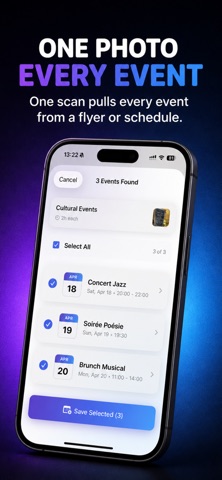
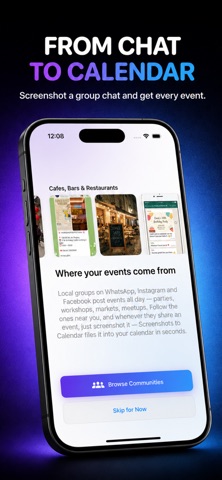
A screenshot is not a plan. You see something you want to do — a concert poster, a class schedule, a friend's invitation, a flyer in a café — and you screenshot it. You tell yourself you'll remember. You usually don't. Screenshots to Calendar turns those screenshots into real calendar events. The date, the time, the location, the meeting link — all extracted, ready to save, in seconds. Saved it. Planned it. Lived it. HOW IT WORKS 1. Screenshot, photograph, or share an image of any event 2. Open the app — the details are already pulled out 3. Review and edit anything before saving 4. Save to your calendar with one tap WORKS WITH • Concert and festival posters • Instagram stories and TikTok event recommendations • WhatsApp invitations • Restaurant openings and pop-ups • Class and gym schedules • School notices and family calendars • Conference agendas and meeting invites • Booking and ticket confirmations • Local markets, workshops, and community events • Travel itineraries WHAT IT EXTRACTS • Title, date, time, and location • Recurring patterns ("every Tuesday", "biweekly", "monthly") in 10 languages • Multiple events from one image (event series) • Venue addresses linked to Apple Maps • Video call links (Zoom, Google Meet, Microsoft Teams, Webex) • Optional translation to your preferred language CAPTURE FROM ANYWHERE • Live camera • Photo library • Clipboard paste • Share sheet from any app — Safari, Messages, Mail, Photos, Instagram, WhatsApp • Home screen widget for one-tap launch EXTRAS • Extraction history with the original screenshots • Shareable event cards • Customizable reminders • All-day, multi-day, and recurring event support LOCALIZED Available in English, German, French, Spanish, Italian, Portuguese, Dutch, Japanese, Korean, and Chinese. The app reads event details in any source language regardless of app interface. PRIVACY No account required. No personal data sold. Screenshots are sent securely to extract event details and are not retained. Stop Typing. Start Living. Terms of Use (EULA): https://www.apple.com/legal/internet-services/itunes/dev/stdeula/
Latest release
What’s New
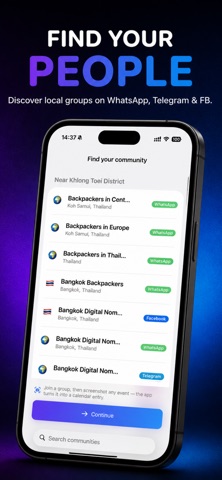
Share events with friends — instantly. Turn any event into a link or a card. One tap, and friends add it to their own calendar (Apple, Google, or Outlook). Also new: • Find local events from communities near you • Streaks and stats to track the events you catch • Faster, more accurate extraction • Widgets to jump straight to scanning
Audience growth
Ratings growth
Baseline captured. Growth appears after the crawler observes a changed rating count.
Momentum comes from crawler snapshots for the tracked storefront. “Viral growth signal” means unusually fast recent rating gains; it is an indicator, not download data.
Price tracking
Price intelligence
First snapshot captured. The trend line starts after the next crawler price observation.
- First observed Aug 28, 2026 · 5:39 PM Free
Screenshots