About this app
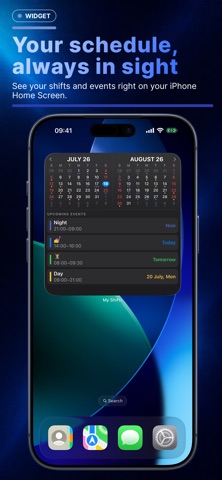
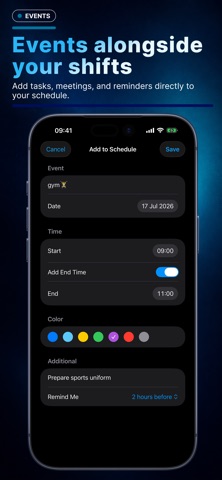
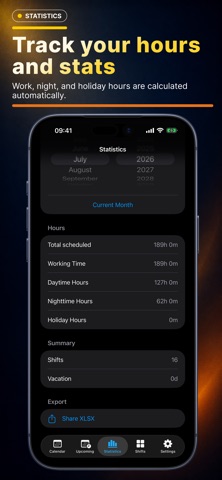
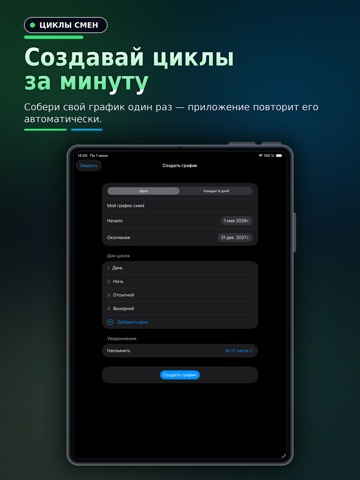
Shift Schedule is a convenient calendar for anyone who works shifts or follows an irregular schedule. The app helps you plan work shifts, days off, vacations, and personal events in one clear calendar. Create your shift cycle once—for example, day shift, night shift, recovery day, and day off—and the app will automatically build your schedule for the selected period. Features: • create custom shift cycles; • generate schedules based on repeating patterns; • add personal events to your schedule; • set shift start and end times; • choose colors for different shift types; • receive notifications and reminders; • account for breaks; • view upcoming shifts and events; • track total, day, night, and holiday work hours; • add vacations, days off, and empty days; • view shifts and events in a Home Screen widget; • use light and dark appearance modes. The app is suitable for doctors, nurses, security staff, drivers, manufacturing and retail employees, service workers, and anyone who does not follow a standard Monday-to-Friday schedule. Shift Schedule helps you stay in control: see upcoming workdays, plan vacations in advance, add personal events, and quickly check how many hours are scheduled for the month. Plan your shifts without the chaos—everything important is always in sight.
Latest release
What’s New
Home Screen Widgets View upcoming shifts and events directly on your iPhone Home Screen. Custom Colors You can now choose any color for shifts and events using the iOS color picker. iCloud Sync Your schedules and data are now saved to iCloud and available across your devices. English Localization The app interface is now available in English.
Audience growth
Ratings growth
Baseline captured. Growth appears after the crawler observes a changed rating count.
Momentum comes from crawler snapshots for the tracked storefront. “Viral growth signal” means unusually fast recent rating gains; it is an indicator, not download data.
Price tracking
Price intelligence
First snapshot captured. The trend line starts after the next crawler price observation.
- First observed Sep 9, 2026 · 4:38 AM Free
Screenshots