About this app
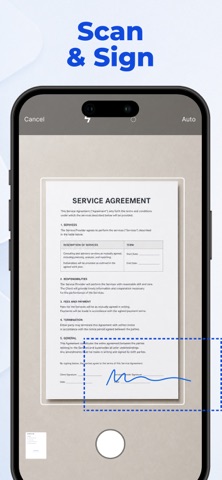
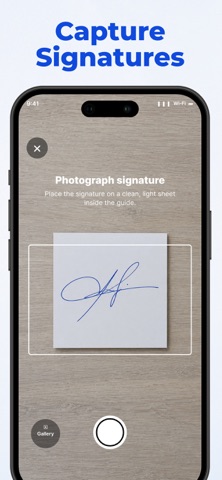
Sign Documents quickly and easily right from your iPhone or iPad. Create an electronic signature, add it to PDF or DOCX files, and share your signed documents in just a few taps. Whether you need to sign a contract, agreement, form, application, invoice, or other document, this PDF signer gives you the tools to handle the entire process on your phone — no printing required. EASY DOCUMENT SIGNING Import your document and add your signature wherever you need it. The app supports PDF and DOCX files, making it easy to esign everyday documents for work, business, or personal use. IMPORT DOCUMENTS YOUR WAY Add documents from: • Files — import PDF and DOCX files directly from your device • Photo Library — use an existing photo or image of a document • Camera Scanner — scan a paper document with your camera and sign it digitally CREATE YOUR SIGNATURE Use the built-in Signature Maker to create and save your electronic signature in the way that works best for you: • Draw — create a handwritten signature with your finger • Scan — capture your real signature from paper using the camera • Type — create a signature, name, or initials using typed text Create your signature once and use it whenever you need to Sign Documents. SIGN PDF & DOCX DOCUMENTS Add your digital signature to PDF and Word documents directly on your device. Position your signature where needed and prepare documents for sharing in seconds. SAVE, SHARE & PRINT Once your document is signed, you can: • Save it inside the app for easy access • Export it using the system Share menu • Send it through your favorite apps and services • Print the signed document directly from your device ALL YOUR SIGNED DOCUMENTS IN ONE PLACE Keep completed documents inside the app so you can easily find, review, and share them again whenever needed. FROM PAPER TO SIGNED DOCUMENT Need to sign a physical document? Scan it with your camera, add your electronic signature, and export the finished document — all from one app. A SIMPLE ESIGN WORKFLOW From creating a Signature Maker profile to using the app as a PDF signer or DOCX document signer, everything is designed to make electronic document signing fast and convenient. Create your signature. Sign your document. Save or share it. Privacy Policy: https://mobileappsdevco.github.io/signature-legal/privacy.html Terms of Use: https://mobileappsdevco.github.io/signature-legal/terms.html Contact Us: parfenovapps@gmail.com
Latest release
What’s New
Small improvements for a smoother experience. Thank you for sharing your feedback!
Audience growth
Ratings growth
Baseline captured. Growth appears after the crawler observes a changed rating count.
Momentum comes from crawler snapshots for the tracked storefront. “Viral growth signal” means unusually fast recent rating gains; it is an indicator, not download data.
Price tracking
Price intelligence
First snapshot captured. The trend line starts after the next crawler price observation.
- First observed Sep 16, 2026 · 4:01 AM Free
Screenshots