About this app
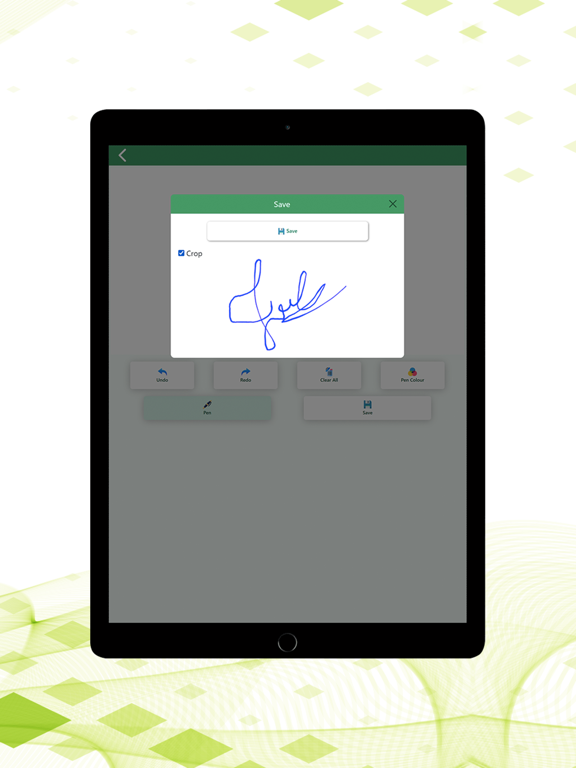
Signature Generator & Maker is an easy-to-use digital signature creator for iPhone and iPad. Create stylish text signatures, draw handwritten signatures, customize your design, save your signature as an image and reuse it whenever needed. Whether you need a professional signature, personal signature, handwritten signature or creative signature style, this app gives you simple tools to design a signature that matches your needs. CREATE DIGITAL SIGNATURES Create personalized digital signatures quickly and easily. Use Auto Signature to generate stylish text-based signatures or Manual Signature to draw your own signature directly on the screen. AUTO SIGNATURE GENERATOR Enter your name or signature text and customize it using different styles and formatting options. Customize your signature with: • Multiple signature font styles • Adjustable text size • Letter spacing • Word spacing • Bold text • Italic text • Underline • Left, center and right alignment • Uppercase, lowercase and capitalized text • Signature text colors • Background colors • Text shadow effects Preview your signature instantly while making changes and create a style that looks professional, elegant or creative. DRAW HANDWRITTEN SIGNATURES Use Manual Signature mode to draw your own signature with your finger or compatible stylus. The built-in signature drawing pad lets you create natural handwritten signatures directly on your device. DRAWING TOOLS Customize your handwritten signature using useful drawing controls: • Choose pen color • Adjust pen thickness • Undo previous strokes • Redo removed strokes • Clear and redraw your signature These tools help you create a cleaner and more accurate digital version of your handwritten signature. SAVE SIGNATURE AS IMAGE Save your finished signature as an image so you can keep it for future use. Your saved digital signature can be useful with compatible documents, forms, images, PDFs and other digital content that supports adding signature images. SAVE & MANAGE SIGNATURES Keep your favorite signatures available inside the app instead of recreating them every time. Create different signature styles for personal, professional or creative purposes and quickly access your saved signatures whenever you need them. PROFESSIONAL & CREATIVE SIGNATURE STYLES Experiment with different signature ideas and create: • Professional signatures • Business signatures • Personal signatures • Stylish signatures • Handwritten signatures • Name signatures • Creative signature designs • Electronic signature images Create multiple variations until you find a signature style that suits you. OFFLINE SIGNATURE MAKER Many signature creation features can be used without a continuous internet connection. Create, draw and customize your signatures wherever you are. DARK MODE & LIGHT MODE Choose between Dark Mode and Light Mode for a comfortable signature creation experience based on your preference and environment. EASY TO USE Signature Generator & Maker is designed with a simple workflow. Enter your name or draw a signature, customize the appearance, preview the result and save your finished signature. No complicated graphic design software is required. USEFUL FOR Signature Generator & Maker can be useful for: • Professionals • Business users • Students • Freelancers • Remote workers • Content creators • Digital document users • Anyone looking for signature ideas • Anyone who needs a reusable signature image CREATE YOUR OWN SIGNATURE STYLE A signature can represent your personal or professional identity. Experiment with fonts, colors, spacing, effects and handwritten strokes to create a signature that feels unique to you. With Auto Signature, handwritten drawing, signature customization, saved signatures and image export tools, Signature Generator & Maker provides a convenient way to create digital signatures on your iPhone or iPad. Create, draw, customize and save your signature today.
Latest release
What’s New
Darkmode added
Audience growth
Ratings growth
Baseline captured. Growth appears after the crawler observes a changed rating count.
Momentum comes from crawler snapshots for the tracked storefront. “Viral growth signal” means unusually fast recent rating gains; it is an indicator, not download data.
Price tracking
Price intelligence
First snapshot captured. The trend line starts after the next crawler price observation.
- First observed Aug 26, 2026 · 10:25 PM Free
Screenshots