About this app
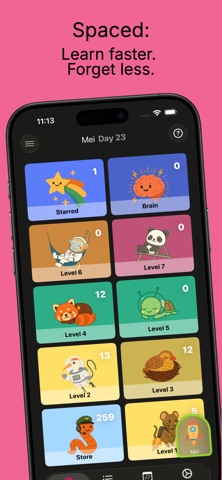
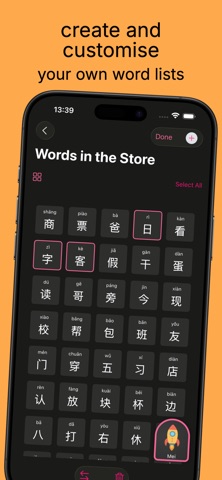
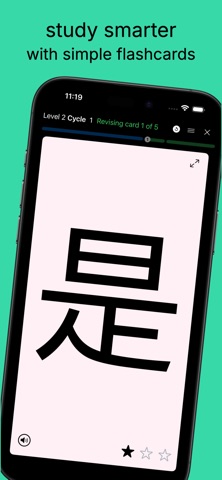
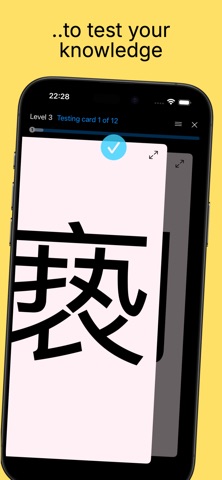
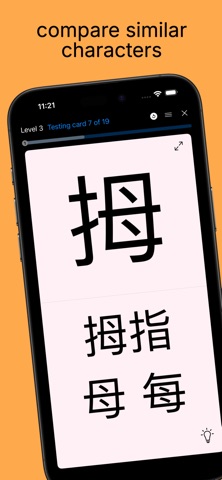
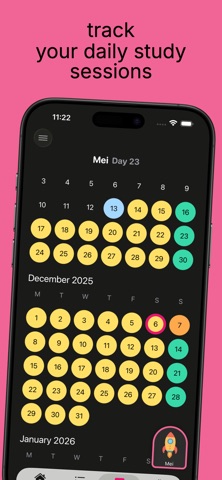
Spaced is a simple, effective vocabulary trainer language learning, built around spaced repetition. Review words and characters at the right moment—before you forget them—and build long-term memory with just a few minutes a day. Originally created to help our daughters learn Simplified Chinese characters (汉字 / Hanzi), Spaced has grown into a flexible tool designed especially for learning Chinese vocabulary, phrases, and characters in a structured way. WHY SPACED Spaced began as a physical Leitner box full of flashcards—useful for memorization, but not very portable. We turned that system into a lightweight app focused on efficient, long-term learning, especially for Chinese vocabulary and Hanzi. HOW IT WORKS Spaced is built around the forgetting curve: review information at increasing intervals to retain it longer. • Create a WordList for what you want to learn (such as Chinese vocabulary or Hanzi sets) • Study briefly each day • Remembered items move up through levels • Forgotten items return for reinforcement The app automatically schedules reviews using a 56-day spaced repetition cycle. CREATE YOUR WORDLISTS Create WordLists for anything you’re learning—commonly Chinese HSK levels, Hanzi character sets, vocabulary themes, or textbook content. Add words manually or use built-in Simplified Chinese lists. Each item supports notes, example sentences, and optional hints. STUDY Tap Start to begin a session. If you take a break, Spaced resumes where you left off. The Home screen shows your next scheduled review. To make learning more engaging, Spaced also includes voice recognition for pronunciation practice and fun learning games to reinforce recall in a more interactive way. STARRED WORDS Mark difficult items for extra practice. Filter by starred words, star levels, or use weighted mode to surface harder items more often. REVISION AND TESTING Spaced includes two study modes: • Revision (Levels 1–2): Build familiarity with new material • Test (Levels 3–7): Check what you know through recall Correct answers advance; incorrect ones return for reinforcement. External keyboard controls are supported. ICLOUD SYNC Your progress stays up to date across devices. Spaced uses iCloud and CloudKit to automatically sync WordLists, progress, and starred items. STAY CONSISTENT A few minutes a day can make a big difference. Keep going, trust the process, and build lasting vocabulary step by step. Happy studying with Spaced. Terms of Use (EULA): https://www.apple.com/legal/internet-services/itunes/dev/stdeula/
Latest release
What’s New
Added new features such as a new Snakes and Ladders inspired game mode, and character mascots who cheer you on to keep you motivated as you study.
Audience growth
Ratings growth
Baseline captured. Growth appears after the crawler observes a changed rating count.
Momentum comes from crawler snapshots for the tracked storefront. “Viral growth signal” means unusually fast recent rating gains; it is an indicator, not download data.
Price tracking
Price intelligence
First snapshot captured. The trend line starts after the next crawler price observation.
- First observed Aug 22, 2026 · 4:59 PM Free
Screenshots