About this app
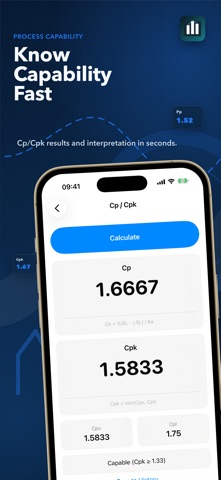
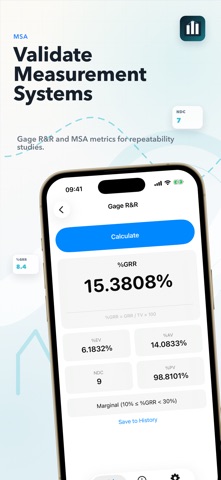
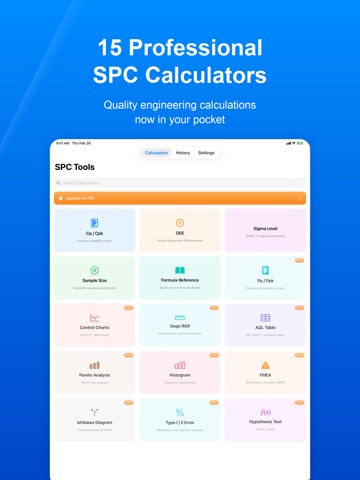
Run SPC, Cp/Cpk, control chart, AQL, OEE and Six Sigma calculations without spreadsheets. SPC Tools gives quality engineers a fast offline toolkit for manufacturing decisions on the shop floor. Built for quality engineers, manufacturing teams, Six Sigma practitioners, inspectors and students, SPC Tools brings the most common quality calculations into one clean iPhone and iPad app. PROCESS CAPABILITY - Cp / Cpk process capability calculator - Pp / Ppk process performance calculator - Clear capability interpretation CONTROL CHARTS - X-bar R control charts - I-MR individual moving range charts - UCL, CL and LCL results - Out-of-control point detection MEASUREMENT & INSPECTION - Gage R&R / MSA calculator - AQL sampling plans based on ISO 2859-1 - Sample size calculator MANUFACTURING PERFORMANCE - OEE calculator - Availability, performance and quality breakdown - Sigma level, DPMO and yield conversion QUALITY TOOLS - Pareto analysis - Histogram analysis - FMEA with RPN priority - Ishikawa fishbone diagram - Hypothesis testing - Alpha, beta and power analysis WORK FASTER - Save calculation history - Review previous results - Use the built-in formula reference - Works offline - No account required - Data is processed on device FREE & PRO SPC Tools includes 5 free calculators. SPC Tools Pro unlocks all 15 calculators with a 7-day free trial. Download SPC Tools and replace scattered spreadsheets with a practical quality engineering calculator built for daily manufacturing work. Payment will be charged to your Apple ID account at confirmation of purchase. Subscription automatically renews unless canceled at least 24 hours before the end of the current period. You can manage and cancel your subscriptions in your App Store account settings. Privacy Policy: https://saevaexe.github.io/spctools/privacy.html Terms of Use: https://www.apple.com/legal/internet-services/itunes/dev/stdeula/
Latest release
What’s New
Refreshed localized App Store visuals, improved the Settings experience, and refined layouts across supported languages.
Audience growth
Ratings growth
Baseline captured. Growth appears after the crawler observes a changed rating count.
Momentum comes from crawler snapshots for the tracked storefront. “Viral growth signal” means unusually fast recent rating gains; it is an indicator, not download data.
Price tracking
Price intelligence
First snapshot captured. The trend line starts after the next crawler price observation.
- First observed Aug 22, 2026 · 1:36 AM Free
Screenshots