About this app
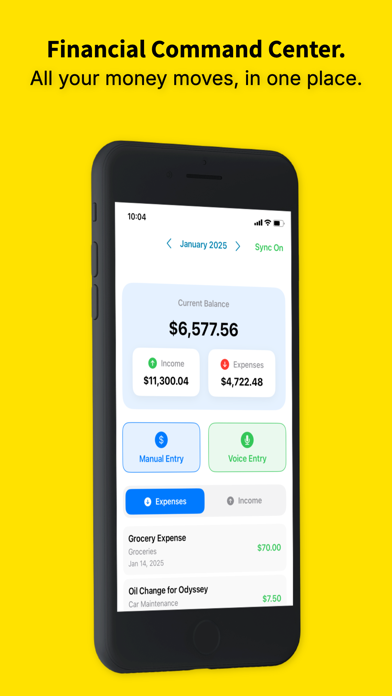
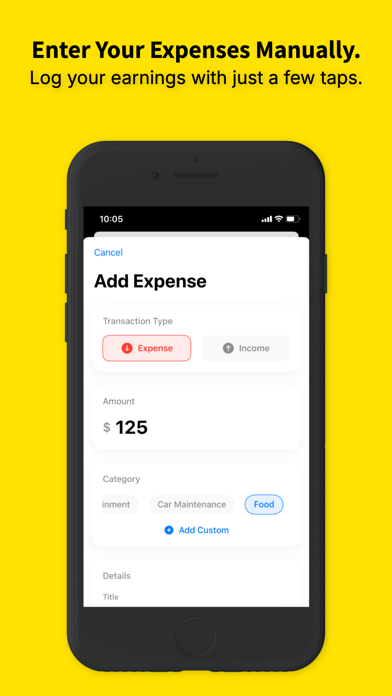
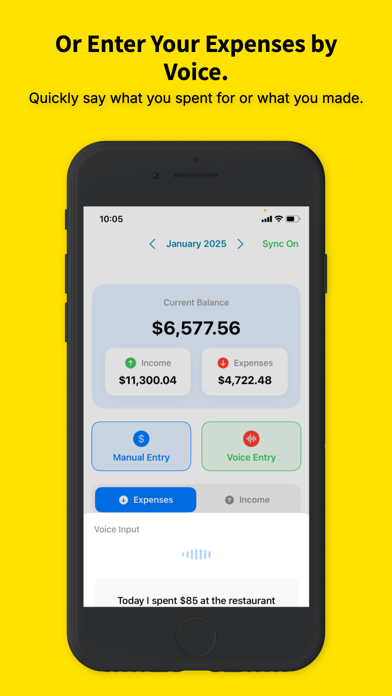
Cash Compass is a private expense tracker for iPhone. No bank logins, no account connections, no data sold — you log what you spend, and it shows you exactly where your money goes. FAST TO LOG, SO YOU ACTUALLY KEEP DOING IT • Say it — speak an expense and it's categorised and saved • Ask Siri — "log an expense in Cash Compass" works from Siri, Shortcuts, Spotlight and the Action button • Snap it — photograph a receipt and the details are pulled out for you • Or type it — amount-first manual entry in a few taps, works fully offline SEE WHAT'S ACTUALLY HAPPENING • Category charts — bar, donut and line views of where the money went • Month-over-month comparison — this period against the last, category by category • Weekly report — what you spent this week vs last, with the categories that moved • Spending-spike alerts — Cash Compass flags a category running above its own recent average • Savings rate — set your monthly income and watch the rate on your dashboard • Tracking streak — consecutive days logged, because consistency is the whole game PRIVATE BY DESIGN • No bank logins. Nothing to connect, nothing to reauthorise, no credentials to breach • Your transactions stay on your device; Premium syncs through your own iCloud account • No ads. No selling your data WORKS WHEREVER YOU DO • Every world currency — set yours and every total, chart and export follows • 33 languages • Separate Personal and Business accounts, switchable in a tap • Cash spending is tracked as easily as card — something bank-feed apps structurally cannot do FREE, AND WHAT PREMIUM ADDS Manual logging is free forever, with no ads. Premium unlocks unlimited voice entry and receipt scanning, the full charts, CSV export, and iCloud sync across your devices. Apple Family Sharing covers 5 more family members at no extra cost — each keeps their own private data; the subscription is the only shared item. Cash Compass is made by a small independent developer. If something's missing or broken, the support link goes to a human.
Latest release
What’s New
Bug fixes and general improvements
Audience growth
Ratings growth
Baseline captured. Growth appears after the crawler observes a changed rating count.
Momentum comes from crawler snapshots for the tracked storefront. “Viral growth signal” means unusually fast recent rating gains; it is an indicator, not download data.
Price tracking
Price intelligence
First snapshot captured. The trend line starts after the next crawler price observation.
- First observed Aug 26, 2026 · 10:56 PM Free
Screenshots