About this app
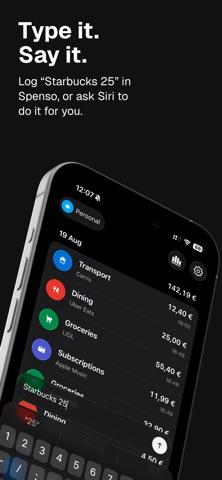
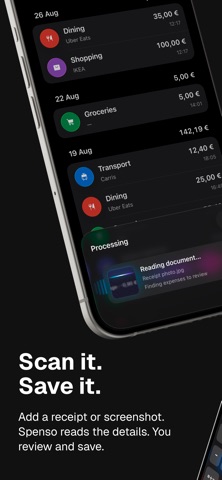
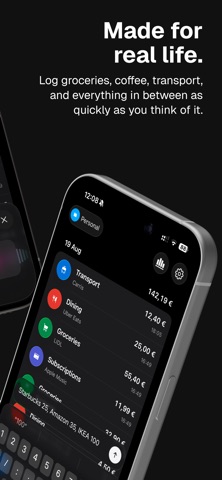
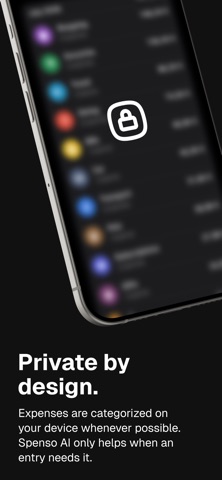
Turn a quick note, receipt, or invoice into an organized expense, without wrestling with forms or complicated dashboards. Write “Coffee 4.50”, describe several purchases in one message, or scan a receipt. Spenso picks out the important details, prepares expense drafts, and lets you review everything before saving. SCAN RECEIPTS AND INVOICES Scan a paper receipt or invoice with your camera, or import a photo or PDF. Spenso AI reads the details and prepares expense drafts for you to check, edit, or discard. Document processing requires an internet connection. KEEP THE DOCUMENT WITH THE EXPENSE Save the source photo or PDF alongside your expenses, so you can open it later to check a total or find a purchase detail. Keep your receipts and spending history together. QUICK CAPTURE, IN YOUR OWN WORDS Enter an expense the way you would naturally say it. Spenso recognizes amounts, merchants, dates, categories, and tags, with on-device processing whenever possible. SIRI AND DICTATION Tell Siri what you spent when your hands are full, or dictate directly in Spenso. Record one expense or several, then confirm, edit, or discard the drafts before anything is saved. A CLEAR DAILY HISTORY See your spending organized by day. Open an expense to adjust its amount, date, category, tags, or note whenever you need to. MONTHLY OVERVIEW Understand where your money went with clear monthly totals and category breakdowns. Open a category to see the expenses behind the total. ORGANIZE IT YOUR WAY Create categories and tags that fit your life. Use separate spaces for personal, travel, or project spending, each with its own currency, categories, and tags. PRIVATE BY DESIGN Saved expenses live on your device and in your private iCloud database. AI and Siri results remain drafts until you explicitly confirm them. Spenso is an expense log, not a budgeting app. Keep a useful record of what you spend without adding another system to maintain. LEGAL Apple Standard EULA: https://www.apple.com/legal/internet-services/itunes/dev/stdeula/ Privacy Policy: https://getspenso.com/legal/privacy-policy Terms of Service: https://getspenso.com/legal/terms-of-service
Latest release
What’s New
A small update with mostly bug fixes and a few other improvements to keep Spenso running smoothly. Thanks for using Spenso!
Audience growth
Ratings growth
Baseline captured. Growth appears after the crawler observes a changed rating count.
Momentum comes from crawler snapshots for the tracked storefront. “Viral growth signal” means unusually fast recent rating gains; it is an indicator, not download data.
Price tracking
Price intelligence
First snapshot captured. The trend line starts after the next crawler price observation.
- First observed Sep 19, 2026 · 12:25 AM Free
Screenshots