About this app
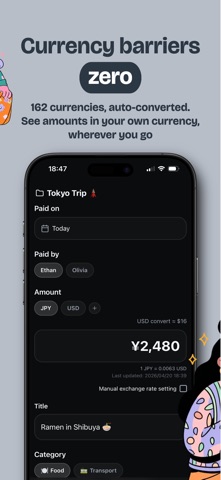
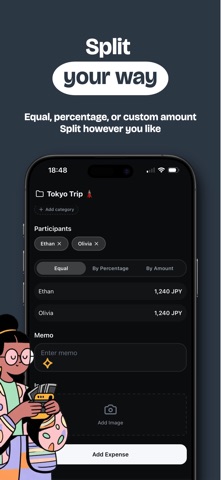
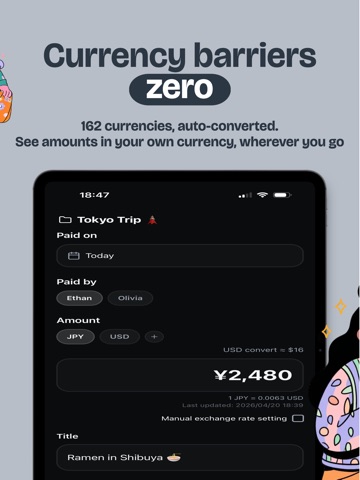
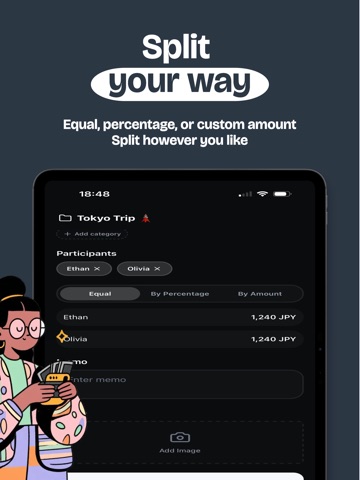
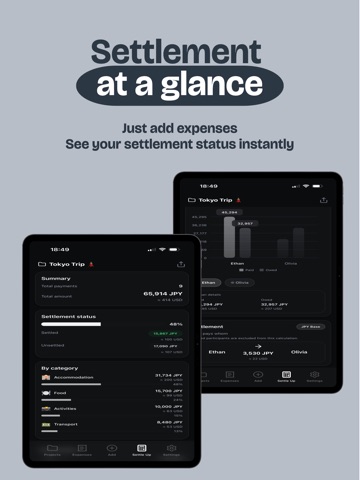
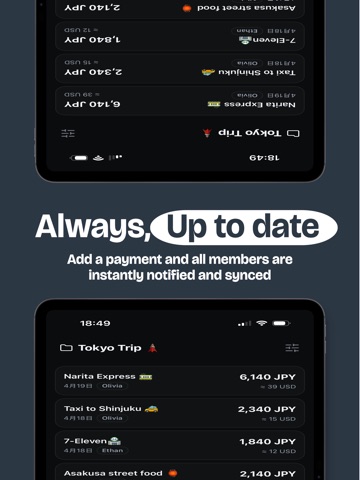
For two or a crowd. Just log your payments and instantly see currency conversions, balances, and who owes what to whom. No account needed. Open the app and start right away. 【Why Choose Evere】 - Record in any currency — Converts automatically at real-time rates. No need to look up exchange rates - No sign-up, instant start — Inviting members is optional. Add a name and you're good to go - 3 ways to split — Equal, by ratio, or custom amounts. Handle any split, any way you like - Real-time sync & notifications — The moment someone logs a payment, everyone sees it instantly - Attach photos to payments — Save receipt photos alongside your expenses. Check back anytime - Works offline — Record expenses without a connection. Syncs automatically when you're back online - Budget alerts — Set a limit per trip. Get notified before you overspend 【Perfect for】 - Group travel and trip expenses - Dining out and splitting bills - Couples and families managing shared costs - Daily multi-currency tracking for expats - Tracking your own everyday spending Terms of Use: https://support.evereapp.com/en/terms/
Latest release
What’s New
Hi everyone! Thanks so much for using Evere. This update brings new features that make adding multiple expenses smoother, along with a few bug fixes. [New Features] · Introducing the new "Add Another" button — you can now log multiple expenses in a row when you need to add several at once. · Smart settle is here! It automatically calculates the minimum number of settlements needed, so your group can settle up in fewer steps. You can also switch to Standard mode (available in projects with 3 or more participants). [Improvements & Fixes] · Increased the height of the "Add Expense" button to make it easier to tap. · Fixed an issue where the left label was misaligned in the expense comparison chart when there is only one participant. · My currency now has a "None" option. Select "None" to hide currency conversion display. · Other minor improvements and bug fixes.
Audience growth
Ratings growth
Baseline captured. Growth appears after the crawler observes a changed rating count.
Momentum comes from crawler snapshots for the tracked storefront. “Viral growth signal” means unusually fast recent rating gains; it is an indicator, not download data.
Price tracking
Price intelligence
First snapshot captured. The trend line starts after the next crawler price observation.
- First observed Sep 4, 2026 · 1:02 PM Free
Screenshots