About this app
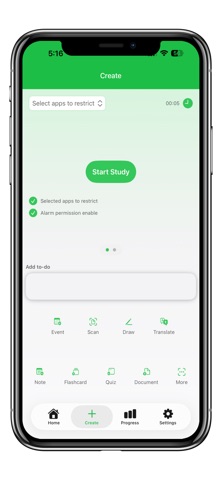
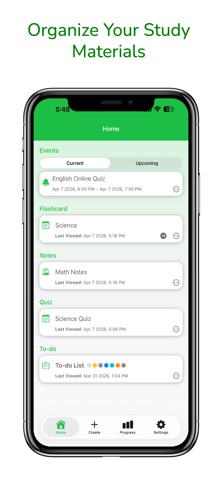
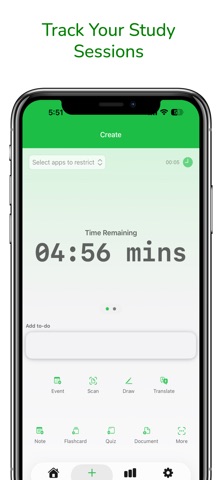
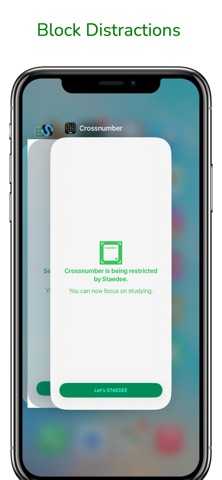
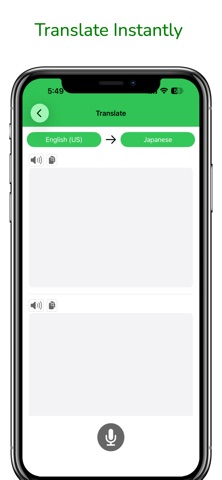
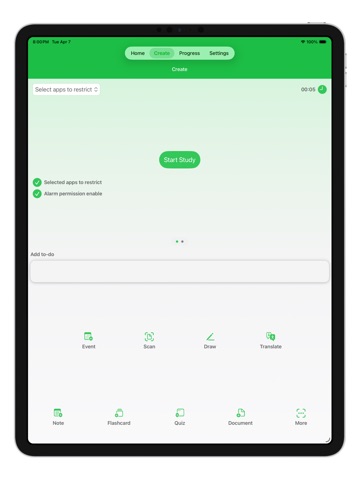
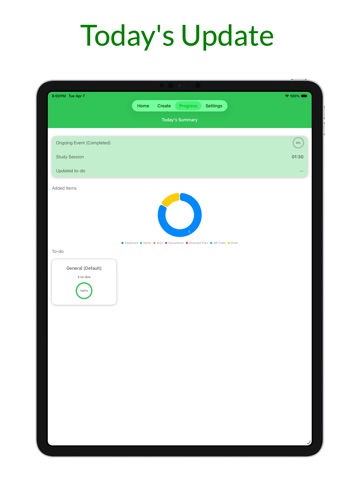
Staedee is an all-in-one study companion designed to help students stay organized, minimize distractions, and learn more efficiently. Whether you're preparing for exams, organizing notes, or tracking your study time, Staedee gives you the tools you need to succeed. Keep all your study materials in one place and focus on what matters most—learning. Key Features Study Organizer Store and organize your study files so you can quickly access notes, documents, and important materials anytime. Ask AI Get instant explanations, summaries, translations, and answers to help you study smarter and faster. Flashcards & Quizzes Create flashcards and quizzes to test your knowledge and reinforce what you’ve learned. To-Do Lists & Events Plan your study schedule with task lists and events so you never miss deadlines or study sessions. Study Timer Track your study sessions and monitor how long you stay focused. App Restriction Mode Avoid distractions by restricting other apps while studying so you can stay fully focused. Document Scanner Quickly scan documents using your camera and save them as digital copies for easy access. Drawing Tool Sketch diagrams, take visual notes, or brainstorm ideas directly inside the app. QR Code Generator Generate QR codes for links, emails, phone numbers, and other text. Translation (Apple Intelligence Feature) Translate text into supported languages to help you study and understand materials more easily. Available on Apple Intelligence supported devices. Why Students Love Staedee • All-in-one study toolkit • Helps reduce distractions while studying • Keeps notes and study materials organized • Simple and easy-to-use interface • Built for productivity and focus Download Staedee today and take control of your study routine. Study smarter, stay focused, and achieve your goals. Terms of Use: https://www.apple.com/legal/internet-services/itunes/dev/stdeula/ Privacy Policy: https://doc-hosting.flycricket.io/staedee-app-for-study/9bf94eda-91a4-4b29-904e-0e0301e1e447/privacy
Latest release
What’s New
This update includes a minor bug fix.
Audience growth
Ratings growth
Baseline captured. Growth appears after the crawler observes a changed rating count.
Momentum comes from crawler snapshots for the tracked storefront. “Viral growth signal” means unusually fast recent rating gains; it is an indicator, not download data.
Price tracking
Price intelligence
First snapshot captured. The trend line starts after the next crawler price observation.
- First observed Sep 9, 2026 · 3:48 AM Free
Screenshots