About this app
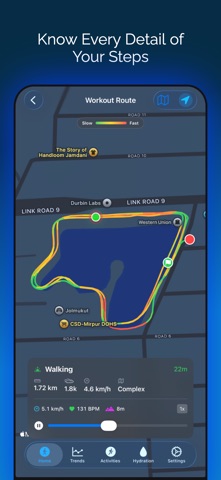
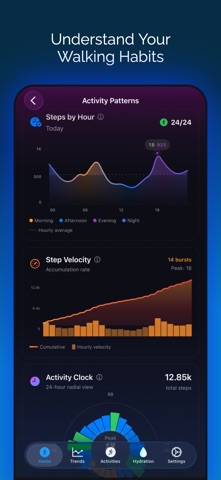
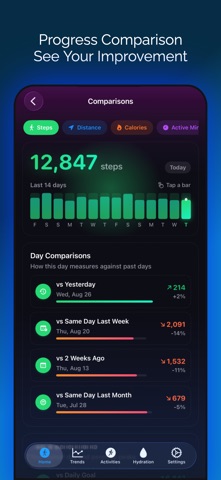
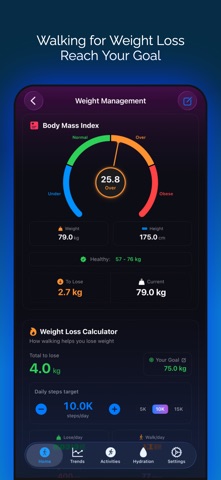
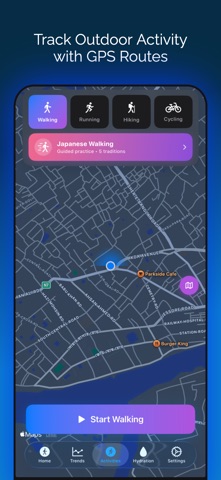
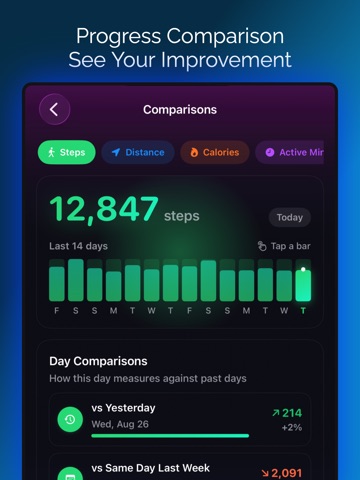
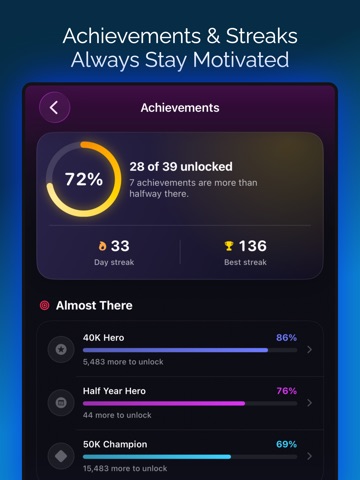
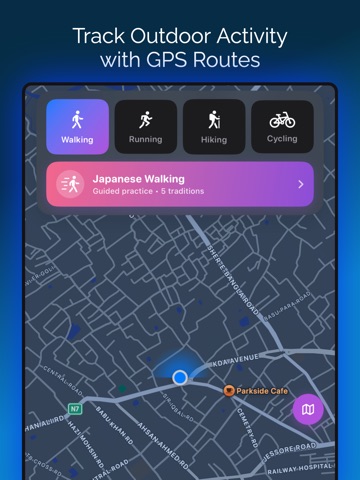
Steply is a step counter with LIVE GPS tracking and beautiful widgets. Track your steps, map your routes, and reach your daily goals with the most gorgeous step tracking app on iOS. LIVE GPS MAP TRACKING Watch your walking route unfold in real-time. Steply shows exactly where you've walked with GPS precision - perfect for tracking walks, exploring neighborhoods, and discovering new routes. View route history with complete stats and pace tracking (min/mile or min/km). SMART INSIGHTS & GUIDANCE • Active Hours Tracking: See how many hours you've been active throughout the day • Daily Personalized Tips: 70+ helpful fitness tips tailored to your progress • Activity Energy Gauge: Visual meter shows your activity level and pace in real-time • Smart Info Buttons: Quick explanations for all metrics and calculations • 3D Glass Orb Ring: Stunning animated progress display with dynamic glow • Weekly Wave Chart: Visualize your daily step patterns • Step Velocity Analysis: Track your walking speed trends over time • 24-Hour Activity Clock: See exactly when you're most active • Hourly Heatmap: Discover your activity patterns across days BMI & WEIGHT LOSS CALCULATOR • BMI Calculator: Enter height/weight, see your BMI score instantly • Visual Health Indicators: Color-coded scale shows your category • Healthy Weight Range: Know your ideal weight based on your height • Weight Loss Projections: See how walking helps you reach goals • Days to Target: Calculate exactly how long to reach healthy weight • Calorie Math: Track daily burn based on your step target • Flexible Units: Switch between kg/lbs and cm/ft-in independently ACCURATE STEP TRACKING • Precise counting via Apple Health integration • Real-time updates throughout the day • Heart rate monitoring during walks • Calorie tracking based on your activity • Distance in miles or kilometers • Hourly breakdown charts • 7-day trend analytics GOALS & MOTIVATION • Custom daily targets (1K-50K steps) • 10,000 steps challenge • Streak counter with celebrations • Achievement badges system • Weekly challenges • Optional smart notifications BEAUTIFUL WIDGETS • Home Screen Widgets: See your progress at a glance • Lock Screen Widgets: Check steps without unlocking • Live Activity: Real-time updates on Dynamic Island • 3 Styles: Today's Progress, 7-Day Trend, Streak Counter HEART RATE MONITORING Track heart rate during walks. See real-time BPM, average heart rate, and accurate calorie burn. Works with Apple Watch - no chest strap needed. DESIGNED FOR iOS • Stunning adaptive gradients • Smooth SwiftUI animations • Perfect Dark Mode • Haptic feedback • Privacy-first: All data stays on your device • No tracking, no ads, no signup required • GDPR compliant WHO IT'S FOR Beginners, 10K challenge participants, weight loss seekers, BMI trackers, remote workers, seniors, dog walkers, and anyone wanting to walk more and live healthier. APPLE HEALTH INTEGRATION Syncs with Health app automatically. Combines iPhone + Apple Watch data. Works seamlessly with other fitness apps. START TODAY Download FREE - no credit card, no signup. Track your steps, map your walks, and reach your goals. Terms: https://www.apple.com/legal/internet-services/itunes/dev/stdeula/ Privacy: https://steplyapp.com/privacy
Latest release
What’s New
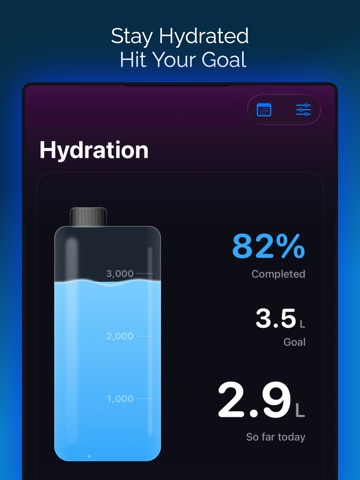
Log water from your watch face Two new complications put a Log button on your watch face and in the Smart Stack. One tap adds your usual glass, without opening the app. Arrange your Apple Watch pages Settings > Watch Pages lets you drag the watch app's pages into the order you want and switch off the ones you never use. The first one is the page your watch opens on. Water on the Watch, rebuilt Dial any amount with the Digital Crown instead of picking between three fixed presets. Add is pinned to the bottom of the screen, so it is never something you have to scroll to. Logging water is one screen again The Hydration tab no longer scrolls. The bottle sits at the top, the amount ladder sits under your thumb, and any amount up to 1 L / 40 oz is one slide and one tap away. Your full record is in the calendar in the toolbar. Also in this update • Bigger tap targets on the home screen water widget • Water settings now reach your Apple Watch in about a second • More of the app translated across all 39 supported languages • Various fixes and refinements throughout Thank you for using Steply! Keep stepping towards your health goals! We believe you love these updates! Please take a moment to rate Steply if you’re enjoying these new features. Your rating helps us grow and improve! Have feedback? Contact us at support@steplyapp.com
Audience growth
Ratings growth
Baseline captured. Growth appears after the crawler observes a changed rating count.
Momentum comes from crawler snapshots for the tracked storefront. “Viral growth signal” means unusually fast recent rating gains; it is an indicator, not download data.
Price tracking
Price intelligence
First snapshot captured. The trend line starts after the next crawler price observation.
- First observed Aug 30, 2026 · 7:44 PM Free
Screenshots