About this app
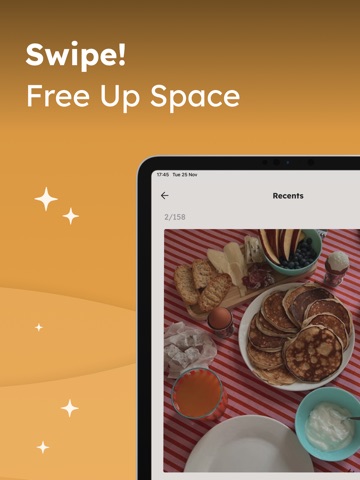
Clean up your photo library faster with Swipe! Photo Cleaner. Free up space on your iPhone in a simple, visual, and satisfying way. Swipe through your photos, keep the ones you love, and move the rest to Recently Deleted. Designed to make photo cleaning quick, easy, and less overwhelming. Swipe! Photo Cleaner helps you review your photo library month by month, organize your memories, and take back control of your storage — one swipe at a time. **Key Features:** - Swipe through your photos to quickly decide what to keep or delete - Review your photo library in a simple and intuitive way - Move unwanted photos to Recently Deleted - Browse your memories month by month - Clean, modern interface for a distraction-free experience - No login required - Works with your local photo library, with your permission **Why Swipe! Photo Cleaner?** Because cleaning your photo library should not feel like a chore. Swipe! Photo Cleaner turns photo cleanup into a fast and easy experience, helping you remove unnecessary photos while keeping the memories that matter most. If your camera roll is full of duplicates, screenshots, blurry photos, or old pictures you no longer need, this app helps you review them more comfortably and make decisions faster. **Premium Features** Upgrade to Swipe! PRO to unlock unlimited swipes, remove ads, and access monthly albums to review your photos month by month. Whether you want to free up storage, organize your memories, or simply clean your photo library more often, Swipe! Photo Cleaner makes the process simple and satisfying. Download Swipe! Photo Cleaner for FREE or upgrade to Swipe! PRO for full access to premium features. You can cancel your subscription anytime in the phone settings. **Contact** For app support please contact us at: support@nappkinlab.com **Terms of use** https://swipe.nappkinlab.com/Terms-of-Use **Privacy policy** https://swipe.nappkinlab.com/Privacy-Policy-and-Cookies Indonesia Games Rating System (IGRS): Rated 3+ (Suitable for all ages).
Latest release
What’s New
This update includes several improvements behind the scenes to keep the app running smoothly. - Performance and stability enhancements - Minor fixes and optimizations - General improvements to ensure a better experience Thanks for using our app!
Audience growth
Ratings growth
Baseline captured. Growth appears after the crawler observes a changed rating count.
Momentum comes from crawler snapshots for the tracked storefront. “Viral growth signal” means unusually fast recent rating gains; it is an indicator, not download data.
Price tracking
Price intelligence
First snapshot captured. The trend line starts after the next crawler price observation.
- First observed Sep 7, 2026 · 7:37 PM Free
Screenshots