About this app
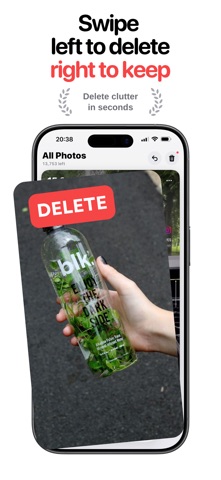
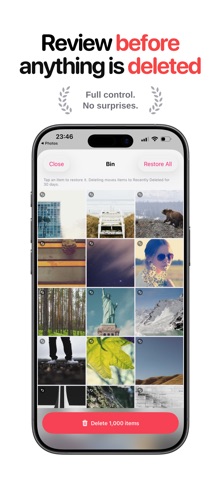
Your camera roll is full of screenshots, blurry shots and photos you will never look at again. SwipeClean turns clearing them out into something you will actually finish. Swipe left to bin a photo. Swipe right to keep it. That's it. TRY IT FREE FOR 3 DAYS Start with a 3-day free trial and clear as much as you like before you decide. Cancel any time in your Apple Account settings. CLEAN IN SECONDS, NOT HOURS • One photo at a time, full screen, so you can decide instantly • Swipe left to delete, right to keep, or up to decide later • Undo any swipe with a single tap FIND THE COPIES YOU FORGOT • Scans photos, screenshots and videos for near-identical copies • Shows how many you have and exactly what they are costing you • Keeps the best of each set and clears the rest in one tap • Videos too, where a single duplicate set can be a gigabyte NOTHING IS DELETED BY ACCIDENT • Photos you swipe away go to a bin first, so nothing leaves your library until you say so • Review the bin and restore anything with a tap • Deleted photos stay in Recently Deleted for 30 days SEE WHAT YOU ARE FREEING • Watch your reclaimed storage add up as you clean • See how much space each photo is taking • Large files are highlighted so you can spot the space hogs CLEAN YOUR WAY • Work through everything, or focus on Screenshots or Videos • Go month by month and finish one at a time • Pick up where you left off, because SwipeClean remembers every decision YOUR PHOTOS STAY ON YOUR PHONE Every photo is read and sorted on your device. No uploads, no account, no copies anywhere else. Start swiping. Your storage will thank you. SwipeClean requires an auto-renewing subscription, billed weekly or yearly, and the weekly plan starts with a 3-day free trial. Payment is charged to your Apple Account at the end of the free trial, and renews automatically unless cancelled at least 24 hours before the end of the period. Manage or cancel anytime in your Apple Account settings. Terms of Use (EULA): https://www.apple.com/legal/internet-services/itunes/dev/stdeula/ Privacy Policy: https://vitalapps.co.uk/privacy/swipeclean/
Latest release
What’s New
A fresh look for Home, with clearer categories, new colours and bigger, better previews. Redesigned welcome flow, so new users see what SwipeClean does in seconds. Settings tidied up. Only the options that apply to you are shown.
Audience growth
Ratings growth
Baseline captured. Growth appears after the crawler observes a changed rating count.
Momentum comes from crawler snapshots for the tracked storefront. “Viral growth signal” means unusually fast recent rating gains; it is an indicator, not download data.
Price tracking
Price intelligence
First snapshot captured. The trend line starts after the next crawler price observation.
- First observed Sep 5, 2026 · 1:09 PM Free
Screenshots