About this app
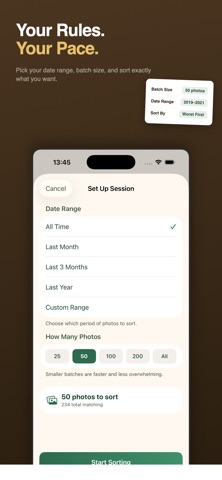
Clean up your photo library the fun way. Swipo turns photo organizing into a simple swipe — just like sorting a deck of cards. HOW IT WORKS Swipe right to keep. Swipe left to delete. Flick to a corner to mark as favorite or "not sure." Four zones, one gesture, and your photos are sorted in seconds. SMART PHOTO ANALYSIS Swipo uses on-device machine learning to analyze your photos for sharpness, faces, visual attention, and brightness — then surfaces your lowest-quality shots first so you can clean up faster. POWERFUL MODES • Smart Decks — Automatically groups your photos into categories: Screenshots, Selfies, People, Food, Nature, and Documents. Tackle similar photos together. • Trip Cleaner — See your photos on an interactive map, auto-grouped by trip based on location and time. Tap any trip to start sorting. • Date Dive — Pick a year and clean through it all at once. A "Time Capsule" banner highlights your oldest unreviewed year. • Delete Again — A 30-day safety net. Tracks every deletion with countdown timers and sends push reminders before iOS permanently removes your photos. YOUR PRIVACY, ALWAYS Everything happens on your device. No cloud. No account. No login. No data ever leaves your phone. Your photos stay yours. FREE TO USE Sort up to 25 photos per month for free. Unlock unlimited sorting with Swipo Pro — a one-time purchase. No subscriptions, no hidden fees. Need a quick boost? Grab a bonus pack of 1,000 extra sorts without going Pro.
Audience growth
Ratings growth
Baseline captured. Growth appears after the crawler observes a changed rating count.
Momentum comes from crawler snapshots for the tracked storefront. “Viral growth signal” means unusually fast recent rating gains; it is an indicator, not download data.
Price tracking
Price intelligence
First snapshot captured. The trend line starts after the next crawler price observation.
- First observed Sep 11, 2026 · 9:22 PM Free
Screenshots