About this app
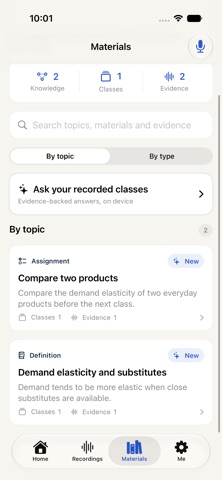
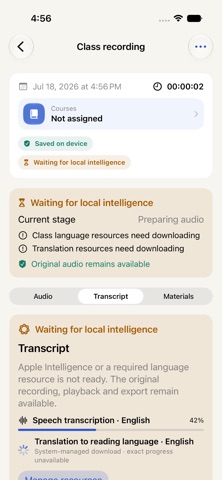
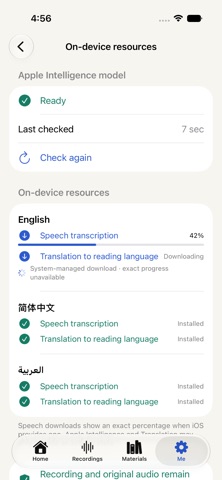
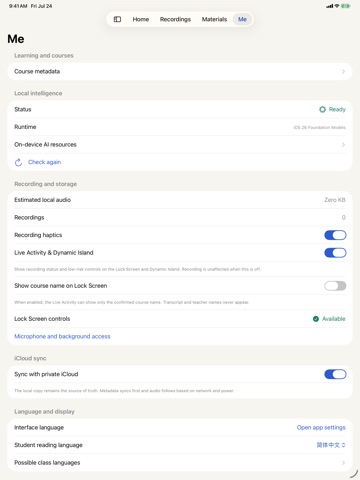
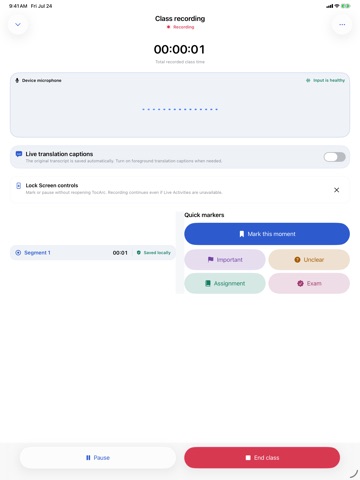
TocArc turns classroom recordings into a private, evidence-backed learning library. RECORD WITH CONFIDENCE Start a class in one tap, pause and resume safely, add meaningful time markers, and keep the original audio as your source of truth. Recording remains independent from network access, iCloud, and AI readiness. LEARN WITH ON-DEVICE INTELLIGENCE On supported devices, TocArc creates transcripts, translations, structured learning materials, and evidence-backed answers using Apple system technologies. Your classroom audio, transcripts, prompts, and generated materials are not sent to third-party AI services or Private Cloud Compute. RETURN TO THE EVIDENCE Search topics, materials, and classroom evidence. Every generated insight and answer can lead back to the relevant recording timestamp, so you can verify it in context. BUILD A LASTING KNOWLEDGE LIBRARY Organize classes by course, connect related topics, revisit definitions, explanations, examples, questions, assignments, and common misconceptions, and keep learning across multiple classes. MADE FOR REAL CLASSROOMS • Live Activity and Dynamic Island recording status • Optional live captions and translation • Reliable recovery after interruptions • Background post-class processing • Local playback with markers and segment details • Portable exports for audio, text, Markdown, JSON, and TocArc session packages • Optional private iCloud/CloudKit sync • English, Simplified Chinese, Arabic, Japanese, French, German, Spanish, and Malay • VoiceOver, Larger Text, Dark Mode, Reduce Motion, and right-to-left layout support TocArc does not require a product account, does not include ads, and does not track you across apps or websites. Please follow applicable recording laws and obtain permission from teachers, speakers, and participants when required.
Latest release
What’s New
TocArc’s familiar icon now adapts to light, dark, tinted, and clear appearances with system glass effects. A reminder before sharing exports helps you check permission to share class recordings and notes.
Audience growth
Ratings growth
Baseline captured. Growth appears after the crawler observes a changed rating count.
Momentum comes from crawler snapshots for the tracked storefront. “Viral growth signal” means unusually fast recent rating gains; it is an indicator, not download data.
Price tracking
Price intelligence
First snapshot captured. The trend line starts after the next crawler price observation.
- First observed Sep 16, 2026 · 4:01 AM Free
Screenshots