About this app
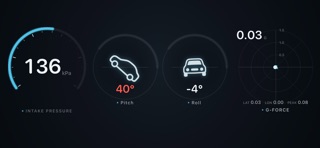
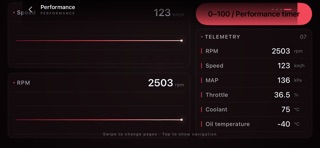
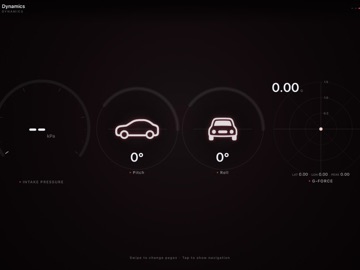
VibeScan turns your iPhone or iPad into a modern OBD2 dashboard and diagnostics tool. Connect a compatible Bluetooth Low Energy OBD2 adapter to monitor live vehicle data, read trouble codes, run health checks, record trips, and use responsive digital gauges while you drive. No account required. No subscription. 【30-DAY FREE ACCESS】 Download VibeScan and use the full app for 30 days at no charge. After the free period ends, a one-time in-app purchase permanently unlocks all features. There is no auto-renewal and no recurring billing. You can restore the purchase on your other devices signed in with the same Apple Account. 【WHAT YOU CAN DO】 ▶ Live Digital Gauges • Modern, driver-focused layouts you can customize • Real-time parameters such as coolant temperature, oil temperature, boost, air-fuel ratio, battery voltage, engine load, and other supported PIDs • Track-oriented views with RPM gauges, G-force visualization, lap timing, and performance testing Available parameters depend on your vehicle, ECU, connection profile, and adapter. ▶ OBD2 Diagnostics • Read diagnostic trouble codes from supported modules • Read and clear Check Engine / MIL-related codes where supported • Built-in DTC descriptions • Readiness monitors, freeze-frame data, and a one-tap health check ▶ Trips, Logging & Review • Monitor live data while driving • Record trips with distance and fuel/energy summaries • Review history and share health-check reports ▶ Bluetooth OBD2 Connection • Designed for compatible BLE OBD2 adapters • Works with many ELM327-compatible adapters, including popular options such as Veepeak and OBDLink where supported • Guided setup: allow Bluetooth, add a vehicle, scan, and connect 【IMPORTANT】 • A compatible BLE OBD2 adapter is required and sold separately. Plug it into your vehicle’s OBD-II port before using live data or diagnostics. • Compatibility and available data vary by make, model, year, ECU, and adapter. • Use the app safely. Do not interact with your device while driving. • For App Review: no login is required. Core connected features are demonstrated in our review screen recording and Notes.
Latest release
What’s New
Fixed some known issues.
Audience growth
Ratings growth
Baseline captured. Growth appears after the crawler observes a changed rating count.
Momentum comes from crawler snapshots for the tracked storefront. “Viral growth signal” means unusually fast recent rating gains; it is an indicator, not download data.
Price tracking
Price intelligence
First snapshot captured. The trend line starts after the next crawler price observation.
- First observed Oct 5, 2026 · 7:40 AM Free
Screenshots