About this app
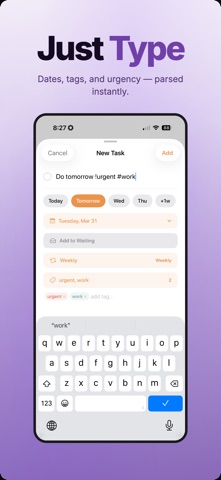
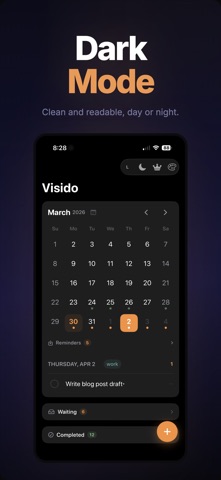
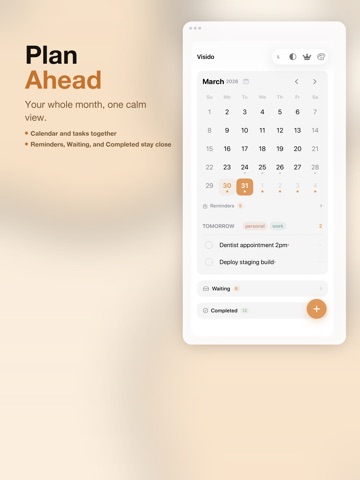
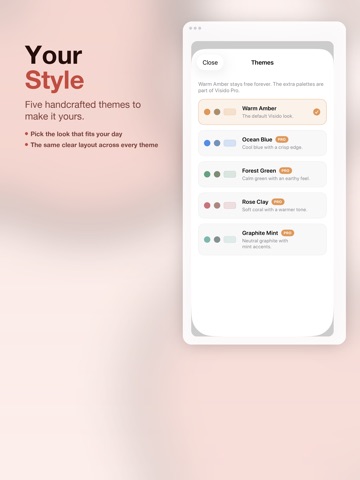
Your to-do list is broken. You open it, organize everything just right, close it, and move on with your day. Two hours later you can't remember a single thing on the list. Sound familiar? That's because every task app is designed to be opened and closed. And the moment you close it, your tasks stop existing. Visido works differently. It stays. On your Mac, Visido floats above your workspace all day. Above your browser, your documents, your email. There's no Dock icon to find, no window to dig up. Your tasks sit right beside whatever you're working on. On your iPhone, Visido puts your tasks in the Dynamic Island and on your Lock Screen. Every glance at your phone is a reminder. No app to open. No inbox to check. You stop thinking about task management. You just see what needs doing, and you do it. Because the only way to clear Visido from your screen is to check things off. WHAT YOU GET (FREE, FOREVER): - Full calendar with month view - Always-on-top floating window on Mac (stays above every app) - Dynamic Island and Live Activity on iPhone - Interactive home screen and Lock Screen widgets - iCloud sync across all your devices - Smart date input (type "tomorrow" or "next friday") - Overdue indicators so nothing slips through - Light, dark, and system appearance with font scaling - Menu bar control with no Dock clutter VISIDO PRO: - Tags and Project Mode: organize by project, client, or context - Repeating tasks: daily, weekly, custom patterns, complex schedules - Apple Reminders import: pull tasks from your Reminders inbox - Full natural language input: "call mom every tuesday #work !urgent" - Additional themes and accent colors Visido Pro is $19.99/year, $2.99/month, or $79.99 for lifetime access. Built for people who are done with productivity theater. No gamification. No AI gimmicks. No settings rabbit holes. Just your tasks, always visible, until they're done. Terms of Use: https://www.apple.com/legal/internet-services/itunes/dev/stdeula/
Latest release
What’s New
Completing a task from a widget or the Dynamic Island now feels just like completing it in the app. Small reliability fixes throughout.
Audience growth
Ratings growth
Baseline captured. Growth appears after the crawler observes a changed rating count.
Momentum comes from crawler snapshots for the tracked storefront. “Viral growth signal” means unusually fast recent rating gains; it is an indicator, not download data.
Price tracking
Price intelligence
First snapshot captured. The trend line starts after the next crawler price observation.
- First observed Aug 28, 2026 · 7:28 AM Free
Screenshots