About this app
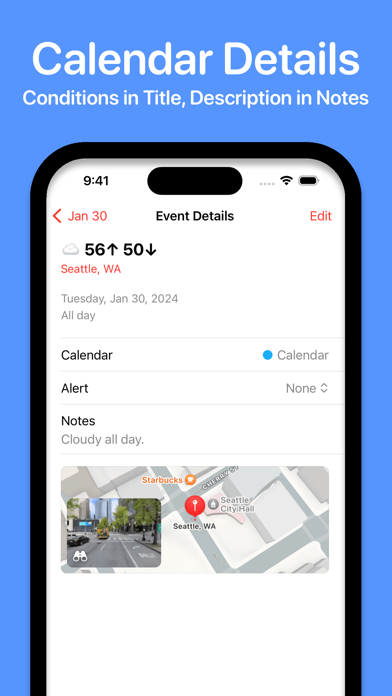
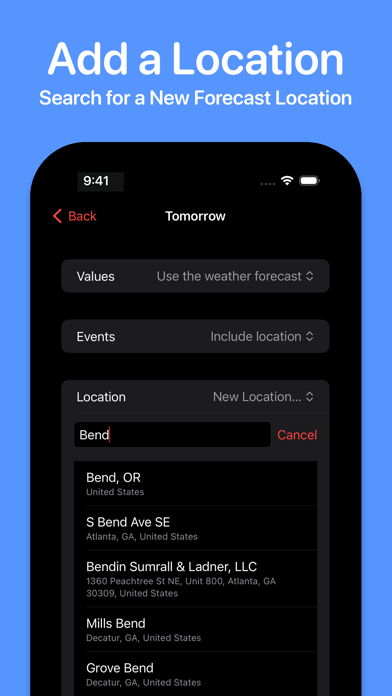
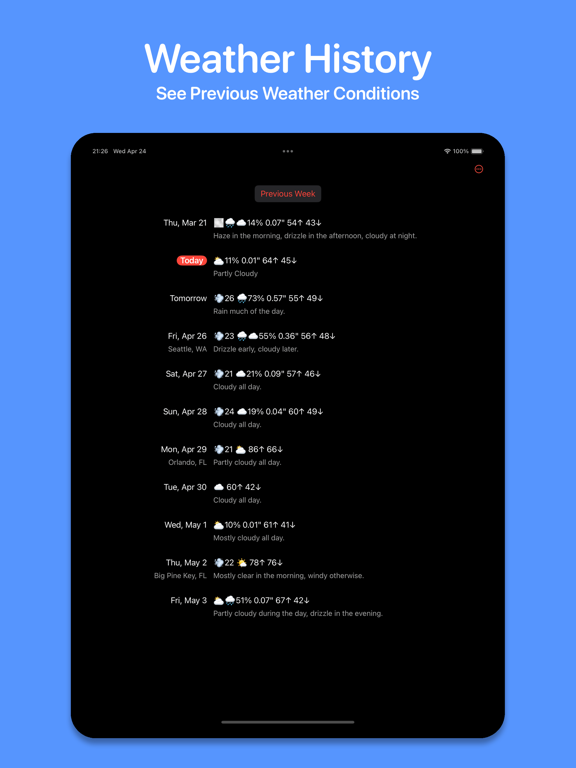
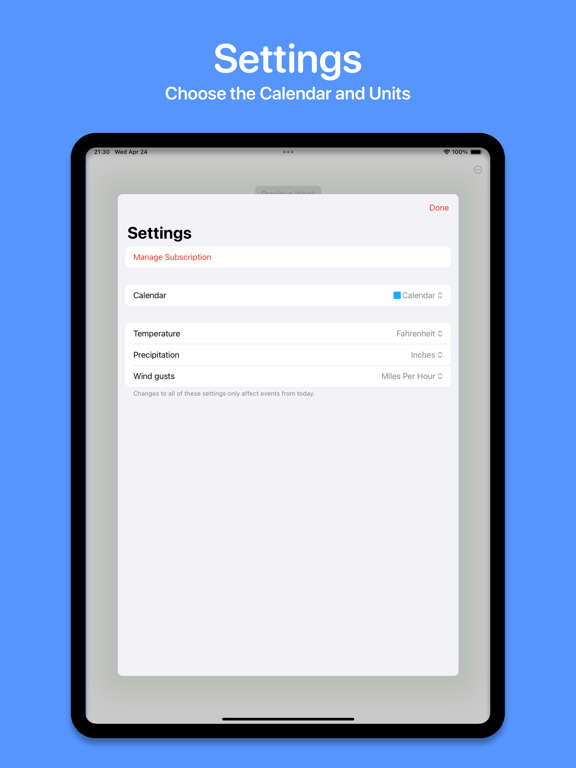
Ever tried to remember what the weather was like a month ago? A year ago? During your last vacation? Weather Events saves a record of the weather conditions to your calendar, so you can look back at previous weeks, months, and years, and see what the weather was like back then. The app displays a list of days and the weather for each, using emojis and high/low temperature display, and a textual description, which is saved in the event note. Weather Events respects your privacy. It doesn't request access to track your location, but just asks you to choose a location for the forecast. And it doesn't use any third-party trackers or send any data to anyone, other than Apple's weather service. Another key feature is that each day can have a different location; great if you travel a lot. By default it uses a single location, but you can choose a different location for each day, and they are displayed in the event if desired. Tap on a day in the app to choose whether to use the forecast or custom values, whether or not to show the location in the event, and choose a new or previous location. The weather conditions can use multiple emojis to show how the weather changes throughout the day, e.g. sunny in the morning and rainy in the evening. If there's rain, the probability percentage and quantity is included. And if it's breezy, the maximum wind gust is also included. The precipitation and wind can be disabled in the settings if you prefer. If the forecast doesn't exactly match what you experience, or you want to make a note of anything special, you can easily edit the event in the app. The weather events and settings are synced between multiple devices via iCloud. Weather Events requires a subscription to cover costs, available on a monthly or yearly basis, with a free two week trial before you are charged. Apple will charge your Apple ID account, and the subscription automatically renews unless it is cancelled before the end of the current period. You can manage the subscription via the button in the Settings window, or going to your App Store account settings. Terms of Use: https://www.apple.com/legal/internet-services/itunes/dev/stdeula/ Privacy Policy: https://dejal.com/about/privacy/ Dejal is a one-person indie app developer, and has a reputation for prompt and friendly support. Use the Contact Dejal menu item in the app, or check out the Weather Events Support page for several ways to get assistance from the developer and other customers, to suggest new features or enhancements, or provide other feedback.
Latest release
What’s New
- Now mentions wind gusts in the description for each breezy day, indicating about when it'll be windy. - In the day editor, the locations menu now has an Other Location... command to search for a previous or new location. - Improved the speed and reliability of location searches. - Improved default names of locations outside the US and Canada to omit the region. - Improved handling of changing locations in different time zones. - Now cleans up unused locations. - Added a calendar menu in the Settings when setting new day locations from calendar events, to optionally only look in one calendar instead of any. - Fixed occasionally using a placeholder location. - Fixed sometimes unexpectedly using a full address for a location. - Fixed inability to click/tap on the location map when choosing a new location. - Fixed the About, Welcome, and Settings windows appearing behind those of other apps on macOS. - Fixed using too much iCloud data. - Now requires OS 26 or later.
Audience growth
Ratings growth
Baseline captured. Growth appears after the crawler observes a changed rating count.
Momentum comes from crawler snapshots for the tracked storefront. “Viral growth signal” means unusually fast recent rating gains; it is an indicator, not download data.
Price tracking
Price intelligence
First snapshot captured. The trend line starts after the next crawler price observation.
- First observed Sep 4, 2026 · 6:41 AM Free
Screenshots