About this app
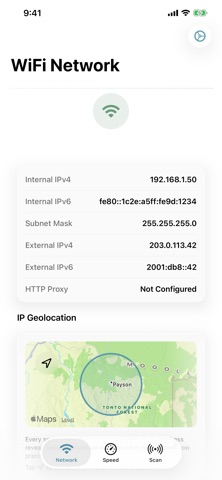
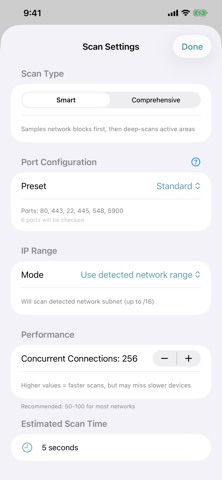
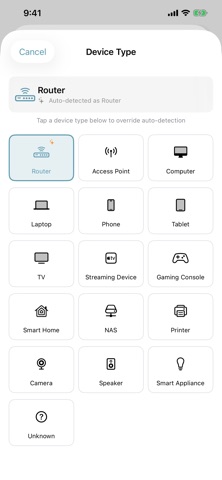
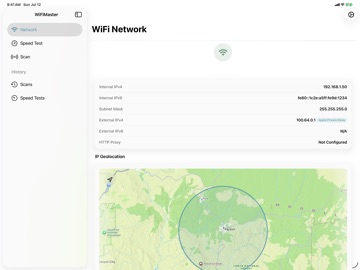
WiFiMaster tells you whether to trust a network before you put your work on it. You just joined an Airbnb, a hotel, a coffee shop. A couple of taps tells you whether the Wi-Fi can carry real work, what else is on the network, and how much your connection gives away. No account. No analytics. Your data never leaves your device. THE ARRIVAL PROTOCOL: Every new network, three questions. Can I actually work here? Run a speed test the second you connect: download, upload, latency, and jitter, so you know the Wi-Fi can carry a video call before you start one. Measured against Rimrock's own servers, not a mystery box. What else is on this network? Scan it with Bonjour and port scanning. Your devices sit next to everyone else's, laid out so the odd one out is easy to spot: an unknown computer, a camera named like it watches the inside. How much does this connection give away? WiFiMaster drops the location the internet guesses from your IP onto a map, next to where you actually are, then says in plain words how exposed you are. It's also a fast way to confirm a VPN moved you. ALSO IN THE BOX Connection details at a glance: IP, DNS, gateway, and status, without digging through Settings. Device detail: drill into anything on the network to identify what it is and where it lives, so a stranger on the LAN doesn't stay a stranger. BUILT FOR EACH PLATFORM WiFiMaster is a native app on iPhone, iPad, Mac, and Apple Vision Pro. Not a web view, not one layout stretched to fit: each version is built for the platform it runs on. PRIVACY An app that helps you spot surveillance had better not be surveilling you. No account, no analytics, no trackers. The privacy policy is short enough to actually read. Built by Rimrock Systems in Payson, Arizona. Terms of Use: https://www.apple.com/legal/internet-services/itunes/dev/stdeula/
Latest release
What’s New
Improved speedtest reliability Improved default layout in iPad Portrait mode Added forever unlock option for users who don't want another subscription
Audience growth
Ratings growth
Baseline captured. Growth appears after the crawler observes a changed rating count.
Momentum comes from crawler snapshots for the tracked storefront. “Viral growth signal” means unusually fast recent rating gains; it is an indicator, not download data.
Price tracking
Price intelligence
First snapshot captured. The trend line starts after the next crawler price observation.
- First observed Aug 24, 2026 · 5:26 AM Free
Screenshots