About this app
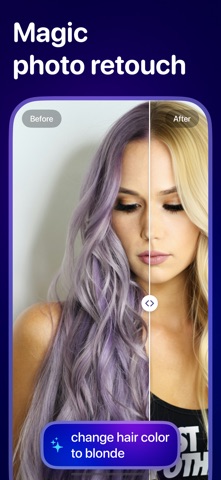
Fix, enhance, and transform your photos with cutting‑edge AI. Whether you want to restore old snapshots, remove unwanted objects, upscale resolution, or create polished visuals for professional or creative use, Pixelfix delivers with precision and ease. Features: Object Erase – Remove unwanted elements from your photos with seamless background blending. Magic Edit – Use simple text instructions to add or change anything in your image with AI‑powered edits. Photo Enhance – Remove pixelation, enhance details, and restore clarity while keeping a natural look. Black & White Restore – Colorize B&W photos accurately with era‑appropriate tones while maintaining original character. Old Photo Restore – Repair damage, bring out lost details, and preserve the authentic vintage look. Text Restore – Fix blurry or damaged text in images, restoring clarity while respecting original style and layout. Upscale Photo – Double your photo’s resolution while retaining clarity—ideal for printing or high‑resolution displays. Unblur Photo – Turn blurry photos into sharp, authentic-looking shots. Resume Photo – Create professional headshots for resumes or LinkedIn, with subtle retouching and background adjustments. YouTube Thumbnail – Generate eye‑catching thumbnails that help your videos stand out. Advertisement – Transform product photos into polished ads with creative compositions. Blister Pack – Design nostalgic 90s‑style action‑figure packaging featuring your subject and custom accessories. Pixelfix Pass Subscription Payment will be charged to your Apple ID account at the confirmation of purchase. Subscription automatically renews unless it is canceled at least 24 hours before the end of the current period. Your account will be charged for renewal within 24 hours prior to the end of the current period. You can manage and cancel your subscriptions by going to your account settings on the App Store after purchase. Terms of Use: https://www.apple.com/legal/internet-services/itunes/dev/stdeula/
Latest release
What’s New
Bug fixes and performance improvements.
Audience growth
Ratings growth
Baseline captured. Growth appears after the crawler observes a changed rating count.
Momentum comes from crawler snapshots for the tracked storefront. “Viral growth signal” means unusually fast recent rating gains; it is an indicator, not download data.
Price tracking
Price intelligence
First snapshot captured. The trend line starts after the next crawler price observation.
- First observed Oct 8, 2026 · 1:27 PM Free
Screenshots