About this app
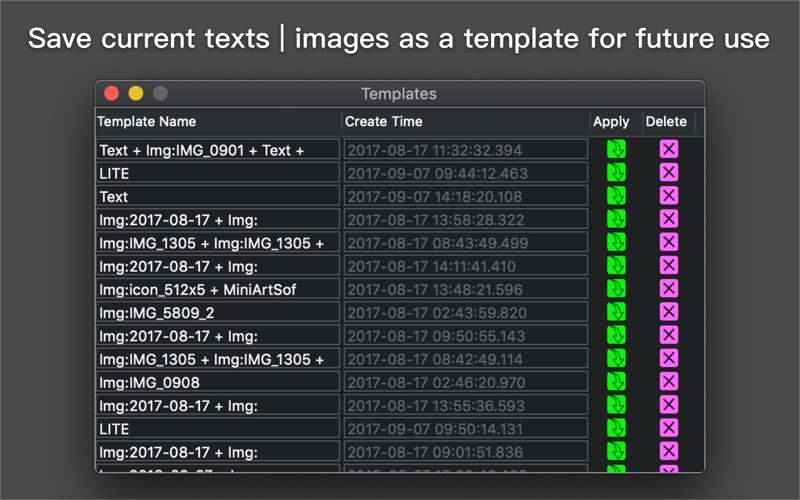
Batch to add text on images. To convert image format to JPG | PNG | TIFF | JPEG2000. The tutorial video is available on our website www.MiniArtSoft.com Features: - Print EXIF (camera | lens | aperture | shutter| shot time | ....) on image - Generate matrix texts to watermark images - Generate gradient color text (one by one character). - Save current texts as a template for future use For outputting file, options to: - Embed original EXIF - Keep original file created time - Set DPI and copyright How to it works: 1. Drop folders or images onto Import button 2.Typing text 3.Drag the Export icon out to save the result FAQ: How to change text's font? Double click on text, then select some characters,the Font button on the toolbar will be highlighted.Click the Font button to popup font dialog. Mouse Gestures: Magnification gestures to scale single or multi object(s)' font size Rotation gesture to rotate single or multi object(s) Pan gesture to move single or multi object(s) Left click on object to select or deselect object Left double click on object to change text view to editable status Left click on blank area to cancel all object(s)' selected status Right click on object to pop up menu with items of Removing/Duplicating/Copying/Adjusting Z hierarchic Right click on blank area of image to pop up menu with items of Pasting/Selecting All/Unselecting All Keyboard Command: Command + Z to undo Command + Shift + Z to redo (Control or Command) + Left Click to multiply select objects Command + A to select all objects Command + Shift + A to unselect all objects Command + C to copy one or more objects Command + V to paste one or more objects ( You should to click at a point on image that you want to paste object to before pasting) Backspace to delete one or more selected objects Input image type: | JPG | JPEG | PNG | TIF | TIFF | DNG | RAW | 3FR | PPM | DCR | ORF | ARW | RAF | NEF | CR2 | RW2 | IIQ | MEF | MRW | PEF | MOS | ERF | BMP | GIF | ICNS | ICO | JP2 | J2K | JPF | JPX | JPM | MJ2| Output image type: | JPG | JPEG | PNG | TIF | TIFF | IIQ | BMP | GIF | JP2 | J2K | JPF | JPX | JPM | MJ2| The similar iOS app named Photo Exif Printer is also available in App Store.
Latest release
What’s New
Improvement for users who haven't got a trackpad: Scale texts & watermarks with slider-control
Audience growth
Ratings growth
Baseline captured. Growth appears after the crawler observes a changed rating count.
Momentum comes from crawler snapshots for the tracked storefront. “Viral growth signal” means unusually fast recent rating gains; it is an indicator, not download data.
Price tracking
Price intelligence
First snapshot captured. The trend line starts after the next crawler price observation.
- First observed Sep 21, 2026 · 2:55 AM $9.99
Screenshots